> ## Documentation Index
> Fetch the complete documentation index at: https://docs.minimus.io/llms.txt
> Use this file to discover all available pages before exploring further.
# Compliance
> How to verify that your Minimus container images meet security, licensing, and regulatory requirements
## CIS
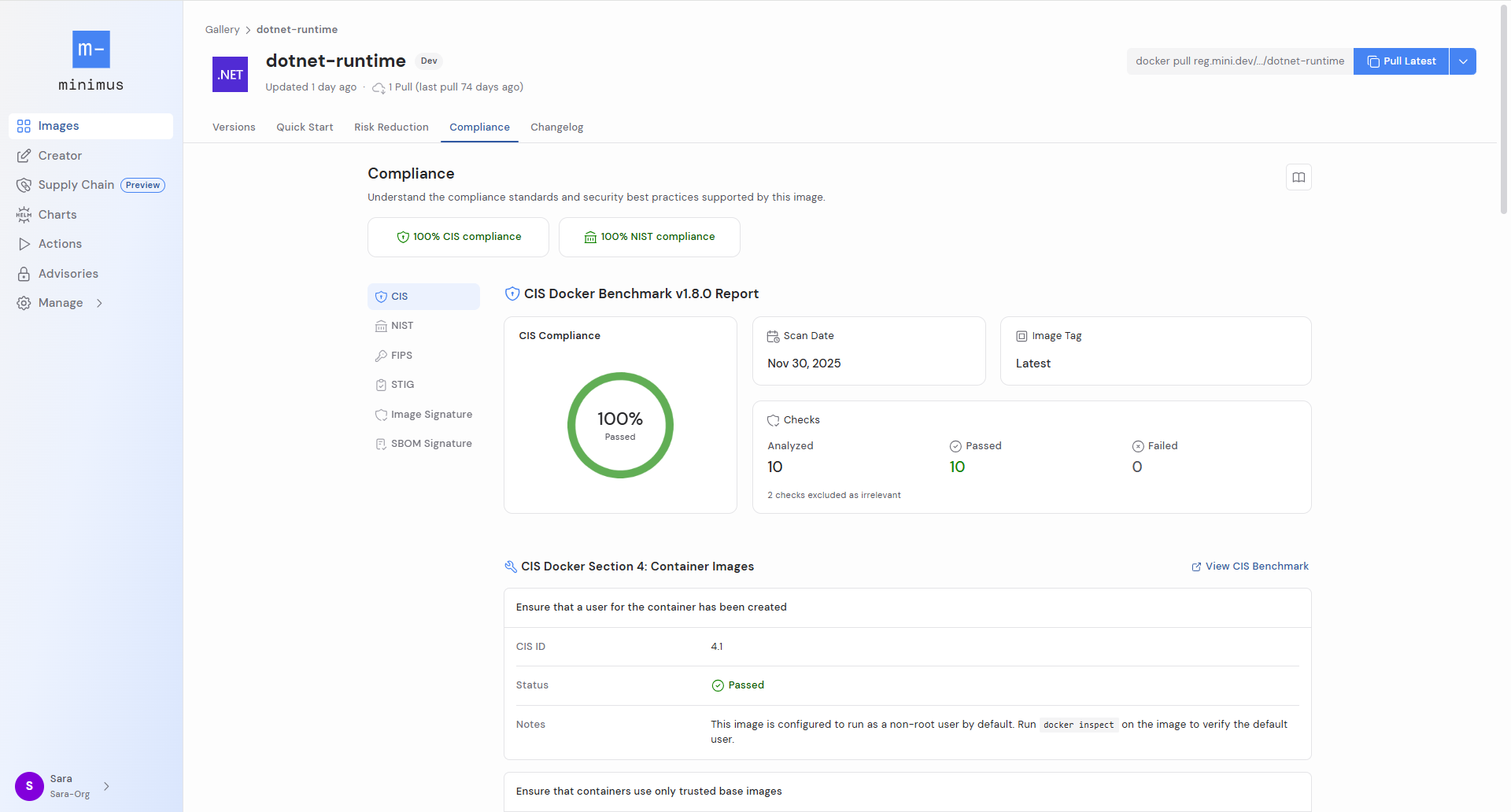
Review a summary report detailing how the image complies with the [CIS Docker Benchmark](https://www.cisecurity.org/benchmark/docker). For every relevant CIS ID, the image status shows if the image passed along with a note explaining the decision.
 ## NIST
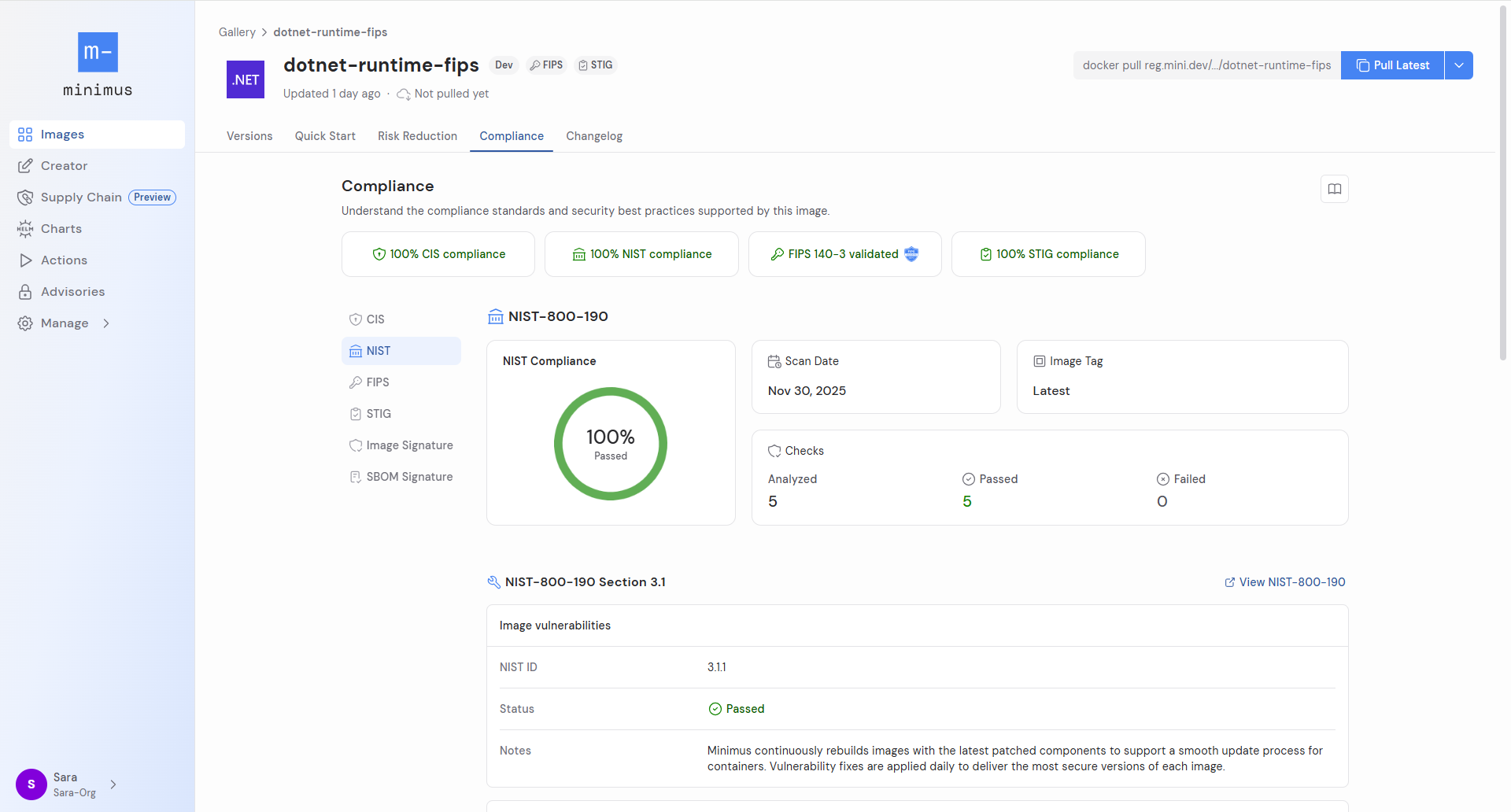
Review a summary report detailing how the image complies with the [NIST-800-190 Section 3.1 Benchmark](https://nvlpubs.nist.gov/nistpubs/SpecialPublications/NIST.SP.800-190.pdf). For every relevant NIST ID, the image status shows if the image passed along with a note explaining the decision.
## NIST
Review a summary report detailing how the image complies with the [NIST-800-190 Section 3.1 Benchmark](https://nvlpubs.nist.gov/nistpubs/SpecialPublications/NIST.SP.800-190.pdf). For every relevant NIST ID, the image status shows if the image passed along with a note explaining the decision.
 ## FIPS
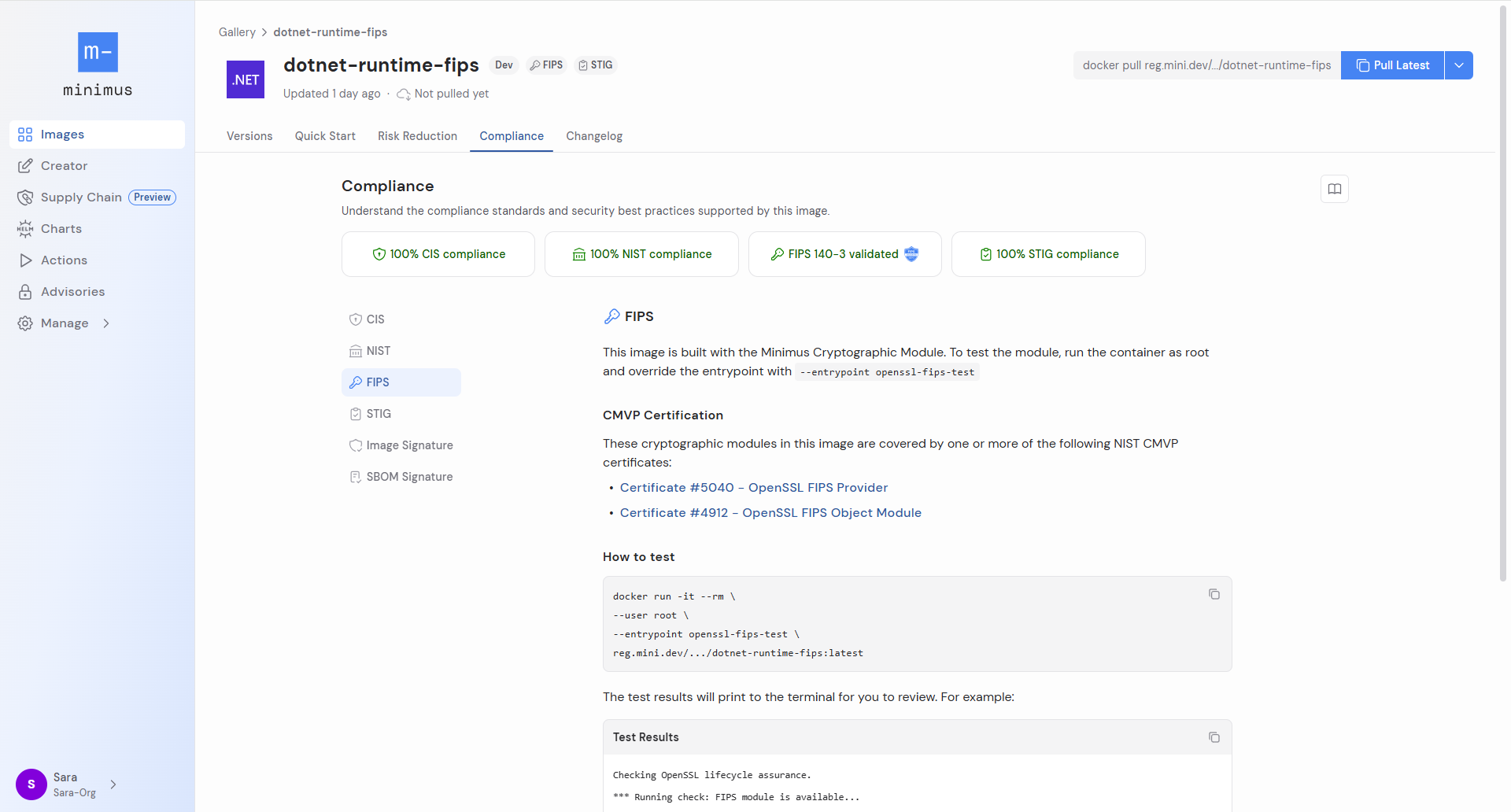
Minimus offers many FIPS validated images built with the Minimus Cryptographic Module to comply with the [FIPS 140-3 standard](https://csrc.nist.gov/pubs/fips/140-3/final). For FIPS validated images, run the command provided to test the module. The command overrides the default entrypoint to run a built-in `openssl-fips-test`.
## FIPS
Minimus offers many FIPS validated images built with the Minimus Cryptographic Module to comply with the [FIPS 140-3 standard](https://csrc.nist.gov/pubs/fips/140-3/final). For FIPS validated images, run the command provided to test the module. The command overrides the default entrypoint to run a built-in `openssl-fips-test`.
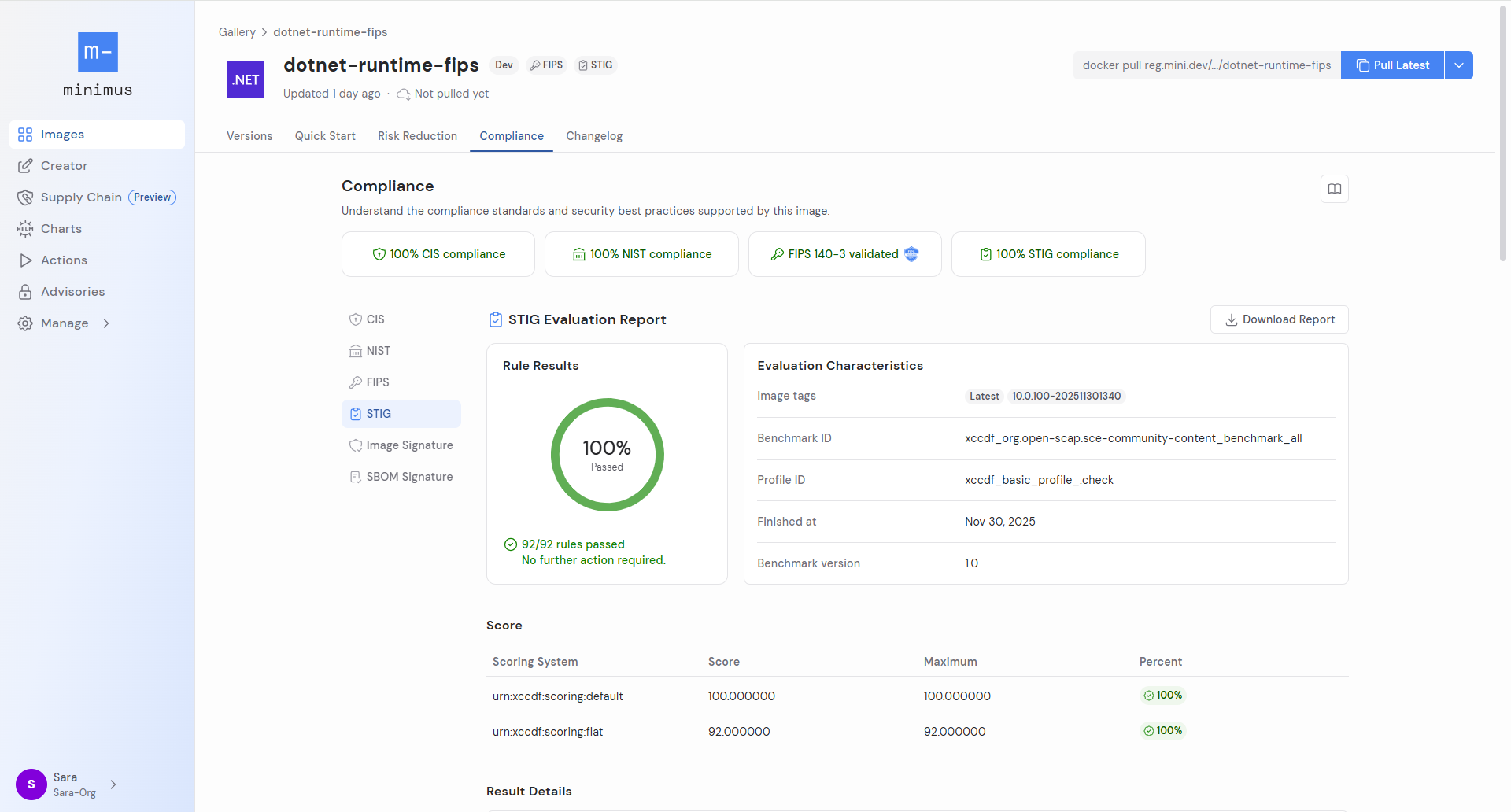
 ## STIG
Minimus images that are FIPS validated are also STIG compliant. Switch to the STIG tab to preview the STIG Evaluation Report. Download the HTML report to drill down on the full details. [Learn more](/compliance/stig)
STIG stands for Security Technical Implementation Guides (STIGs). STIGs are published by DISA, the Defense Information Systems Agency of the U.S. Department of Defense (DoD).
## STIG
Minimus images that are FIPS validated are also STIG compliant. Switch to the STIG tab to preview the STIG Evaluation Report. Download the HTML report to drill down on the full details. [Learn more](/compliance/stig)
STIG stands for Security Technical Implementation Guides (STIGs). STIGs are published by DISA, the Defense Information Systems Agency of the U.S. Department of Defense (DoD).
 ## Image Signature
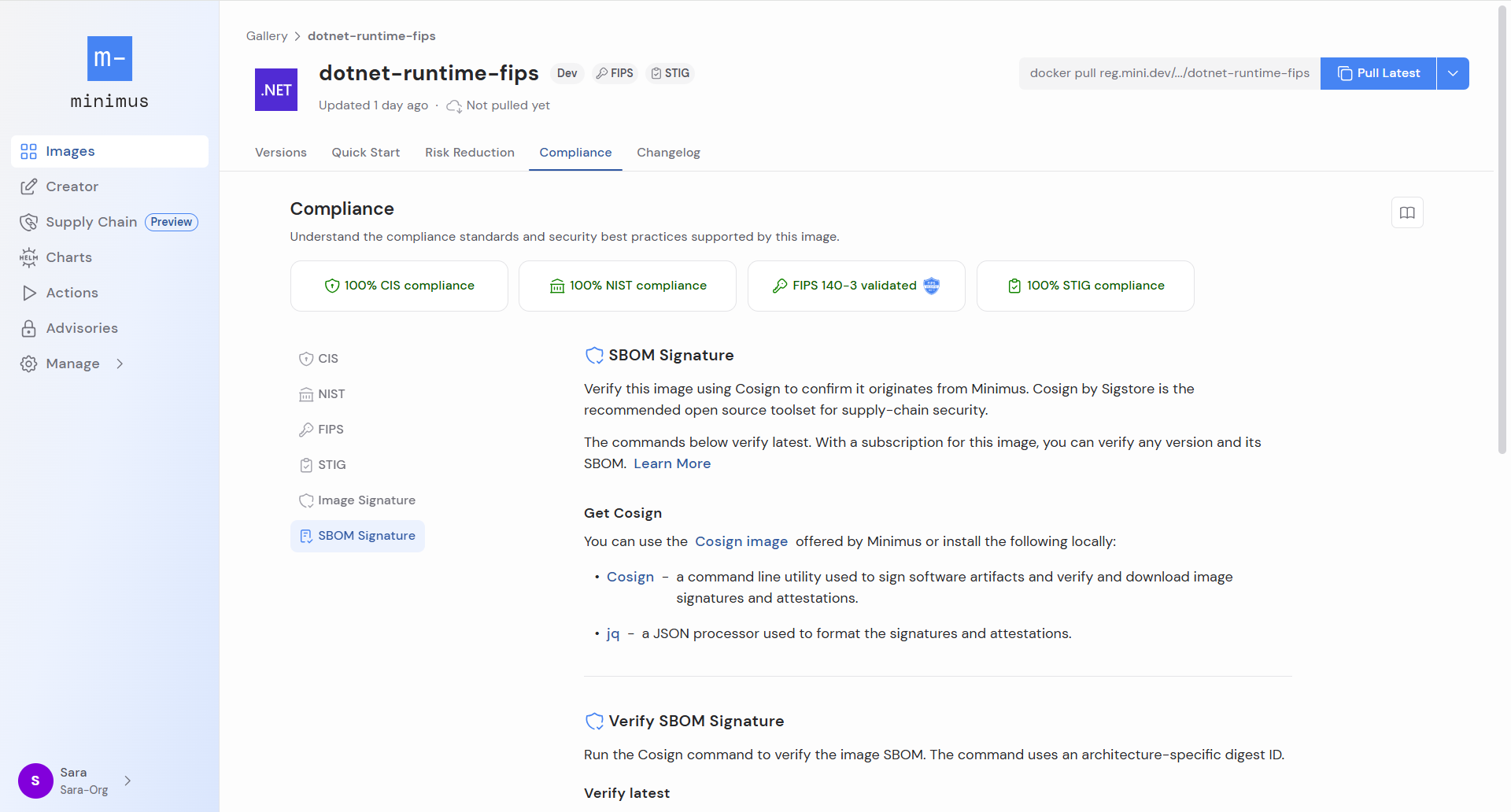
The image signature tab provides the commands for verifying the `latest` and `latest-dev` images with Cosign. See our [**verification guide**](https://docs.minimus.io/integrity/verify) for additional information about verification with Cosign.
## SBOM Signature
The SBOM signature tab provides the commands for verifying the SBOM attestation for the `latest` image with Cosign. The Cosign command uses an architecture-specific digest ID and is provided for amd64 and arm64.
## Image Signature
The image signature tab provides the commands for verifying the `latest` and `latest-dev` images with Cosign. See our [**verification guide**](https://docs.minimus.io/integrity/verify) for additional information about verification with Cosign.
## SBOM Signature
The SBOM signature tab provides the commands for verifying the SBOM attestation for the `latest` image with Cosign. The Cosign command uses an architecture-specific digest ID and is provided for amd64 and arm64.