> ## Documentation Index
> Fetch the complete documentation index at: https://docs.minimus.io/llms.txt
> Use this file to discover all available pages before exploring further.
# Helm Charts
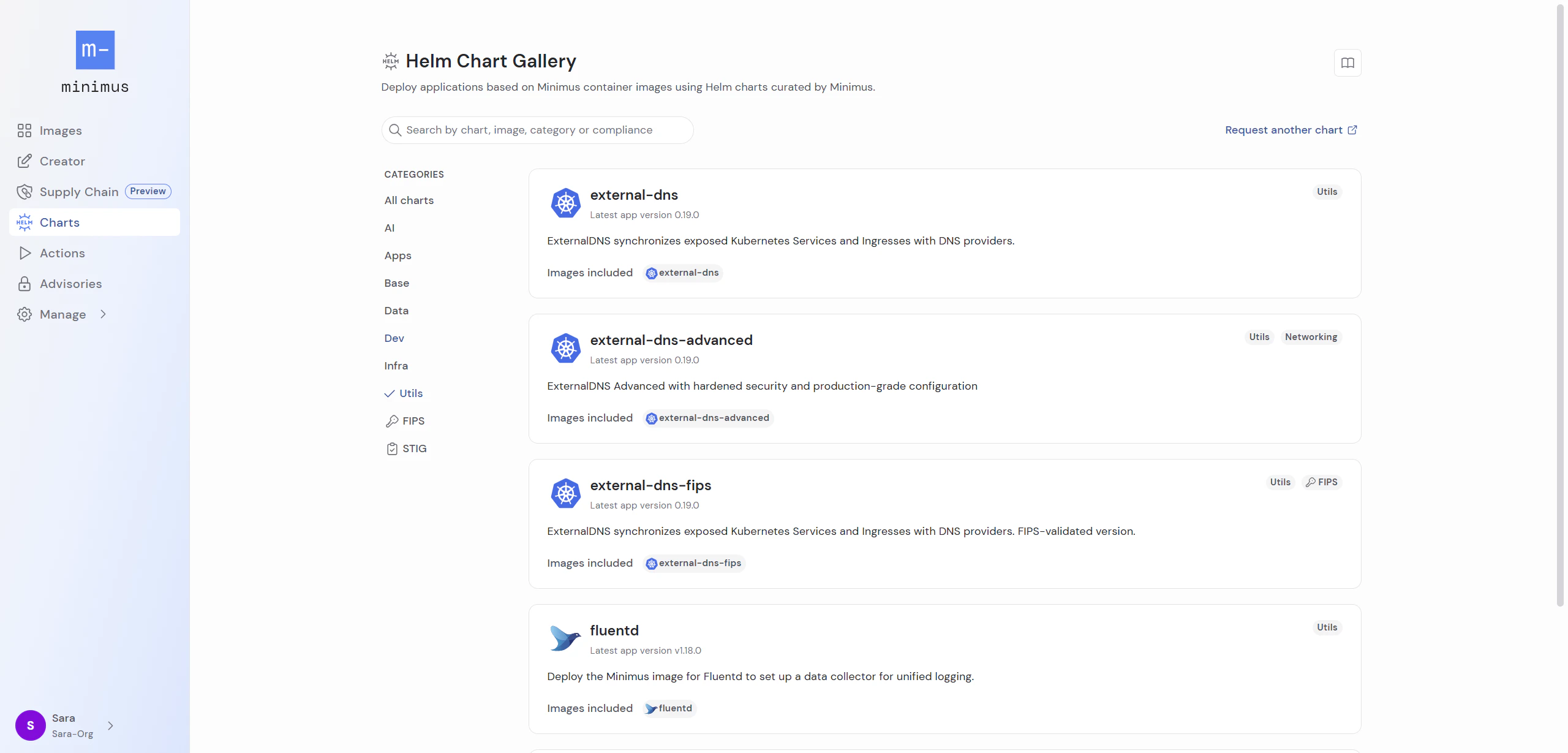
> Deploy secure apps faster with Minimus Helm charts for Minimus images
Helm is the package manager for Kubernetes and it is used to install charts into Kubernetes. Minimus Helm charts complement Minimus images and offer a one-stop-shop for setting up a deployment workflow for secure Minimus images.
 ## Helm chart versions
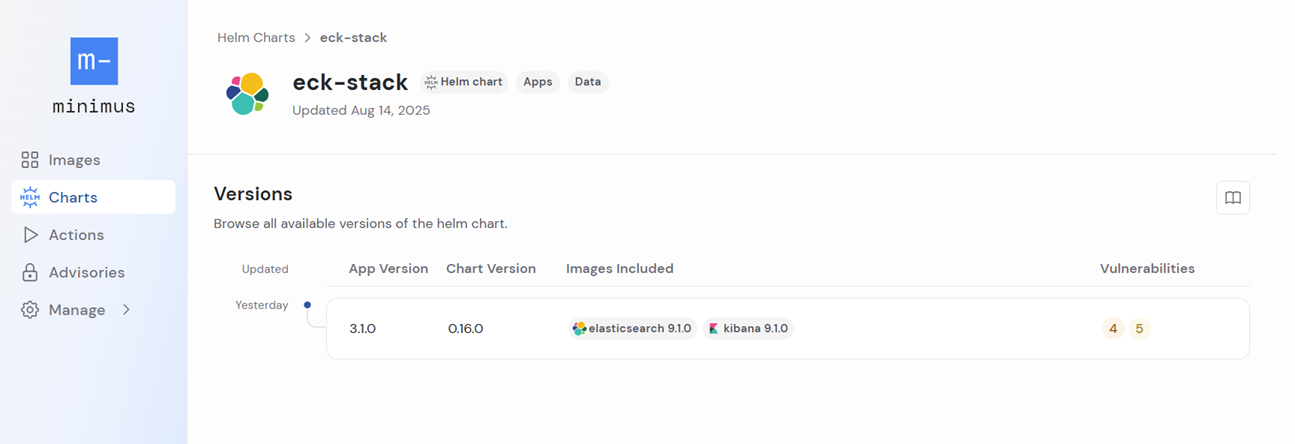
Select a Helm chart from the list to open its version card. The Helm chart's versions are listed, showing the app version, chart version, and current vulnerability report.
Select the relevant chart version to view the chart guide and default values.
## Helm chart versions
Select a Helm chart from the list to open its version card. The Helm chart's versions are listed, showing the app version, chart version, and current vulnerability report.
Select the relevant chart version to view the chart guide and default values.
 ### Pinned to version
Helm charts are designed for production environments so they are pinned to specific image versions. To deploy Minimus Helm charts, you will need a subscription to the relevant Minimus images.
The image version included in every Helm chart is listed in the Helm chart card along with a shortcut link to view the image card directly.
### App version vs. chart version
The application version reflects the version of the primary image deployed by the chart. The chart version starts at 0.1.0 and is incremented sequentially. As a result, chart versions are consecutive but application versions may skip releases.
### Pinned to version
Helm charts are designed for production environments so they are pinned to specific image versions. To deploy Minimus Helm charts, you will need a subscription to the relevant Minimus images.
The image version included in every Helm chart is listed in the Helm chart card along with a shortcut link to view the image card directly.
### App version vs. chart version
The application version reflects the version of the primary image deployed by the chart. The chart version starts at 0.1.0 and is incremented sequentially. As a result, chart versions are consecutive but application versions may skip releases.
 ## Helm chart information
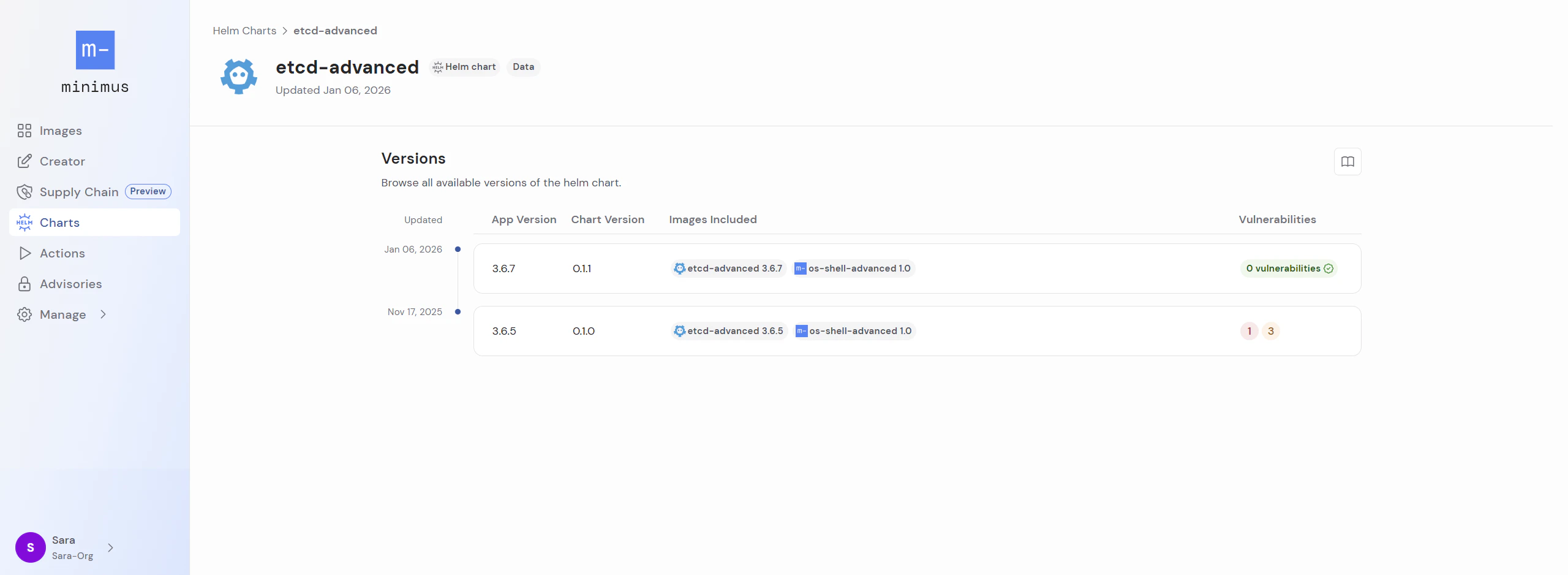
Once you select a Helm chart version, the chart card will open. The chart card information is organized in the following tabs:
* **Chart Guide** - This tab offers a tutorial to help you get started. Note that a subscription to the images included in the chart is required.
* **Chart** - This tab shows the default configurations in the `Chart.yaml` file.
* **Values** - This tab shows the defaults in the `values.yaml` file.
* **Chart Signature** - This tab provides the command used to verify the Helm chart using Cosign to confirm it was published by Minimus and was not modified post-publication.
## Helm chart information
Once you select a Helm chart version, the chart card will open. The chart card information is organized in the following tabs:
* **Chart Guide** - This tab offers a tutorial to help you get started. Note that a subscription to the images included in the chart is required.
* **Chart** - This tab shows the default configurations in the `Chart.yaml` file.
* **Values** - This tab shows the defaults in the `values.yaml` file.
* **Chart Signature** - This tab provides the command used to verify the Helm chart using Cosign to confirm it was published by Minimus and was not modified post-publication.
 ## Request a Helm chart
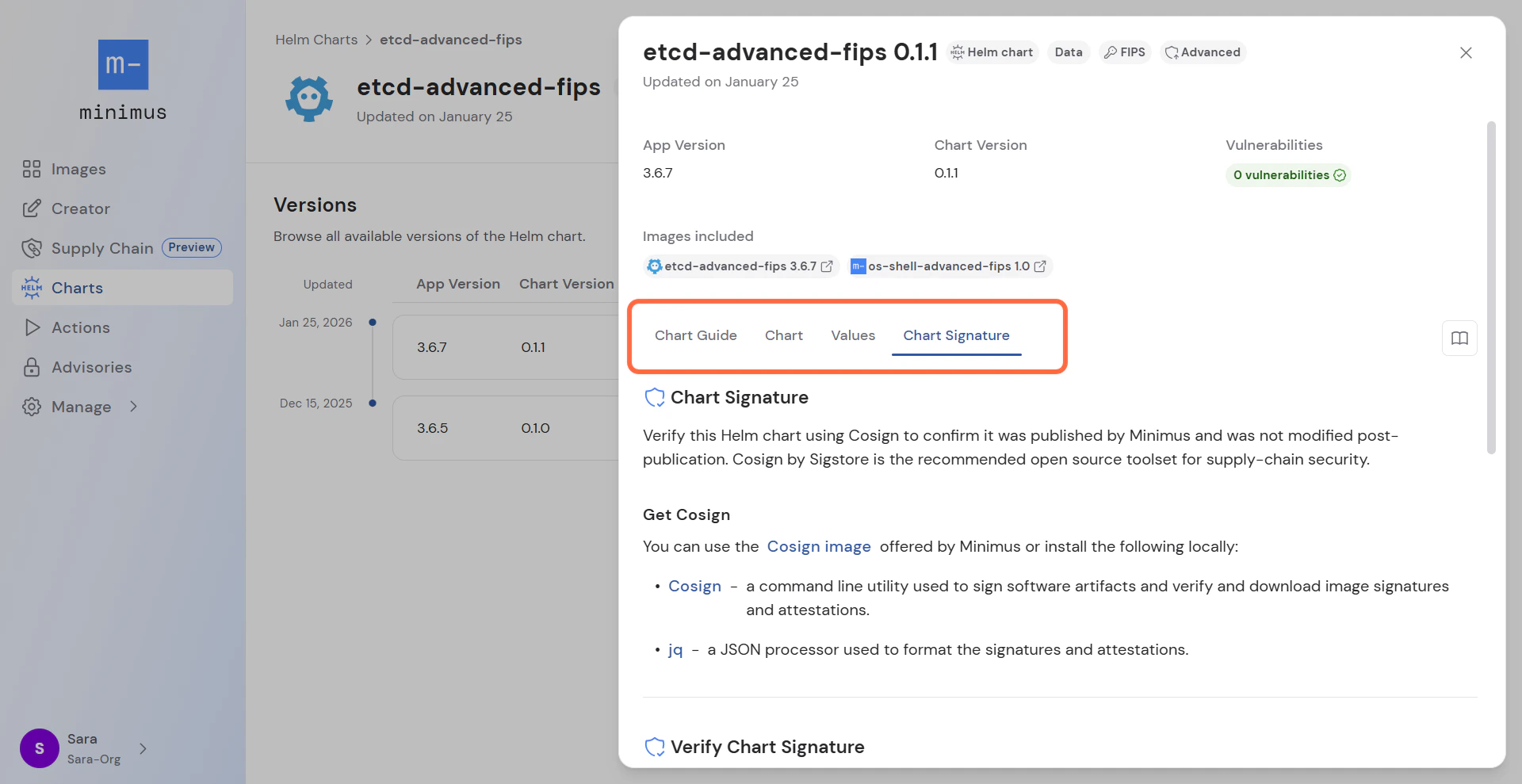
The Minimus Helm chart gallery is growing fast as new Helm charts are added on a rolling basis.
As we continue working to expand our offering, we also gladly accept requests. Please use the link from the gallery to contact us with your request.
## Request a Helm chart
The Minimus Helm chart gallery is growing fast as new Helm charts are added on a rolling basis.
As we continue working to expand our offering, we also gladly accept requests. Please use the link from the gallery to contact us with your request.