> ## Documentation Index
> Fetch the complete documentation index at: https://docs.minimus.io/llms.txt
> Use this file to discover all available pages before exploring further.
# Logs
> Audit user actions and system events for complete visibility and accountability
Minimus logs user and system activity for complete visibility and accountability. The logs are split into two tabs:
* **Activity logs** - Logs events related to user management and user logins, tokens, Minimus actions, minicli, private image management via Creator or minicli, and file bundles.
* **Audit logs** - Logs events related to supply chain policies.
To view Minimus activity and audit logs, select **Manage > Logs** ([direct link](https://images.minimus.io/manage/logs)).
## Activity logs
Check the activity log to audit user and system activity for any reason. The data can be filtered by date, user, and event type. Expand any row to see additional details.
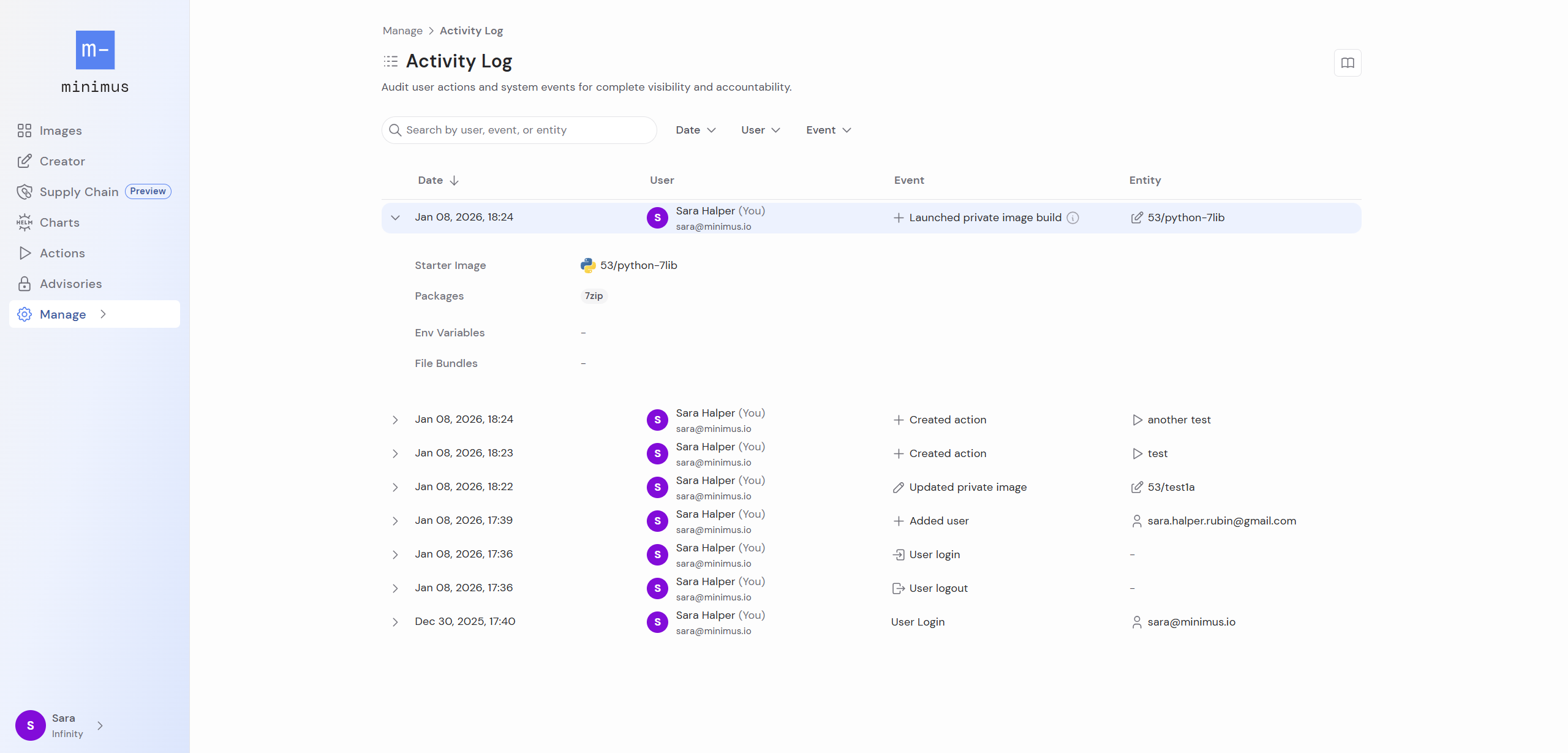 The system logs the following activity and organizes by category:
1. Users
1. Added user
2. Deleted user
3. Updated user
2. Groups (for SAML/SSO)
1. Create group
2. Deleted group
3. Updated group
3. SAML
1. Updated SAML (This log can also refer to SAML enabled or disabled. Expand the log to view its details.)
4. Tokens
1. Created token
2. Deleted token
3. Updated token
5. Actions
1. Created action
2. Deleted action
3. Updated action
6. Image Creator
1. Launched private image build
2. Deleted private image
3. Updated private image
7. File bundles
1. Created file bundle
2. Deleted file bundle
3. Updated file bundle
8. Login/Logout
1. User login
2. User logout
9. minicli\
The performer listed for minicli events is the token used to authenticate the session.
1. Launched build via minicli (Logged for the command `minicli image build submit`)
2. Deleted private image via minicli
3. Saved private image via minicli (Logged for the command `minicli image apply`)
## Audit logs
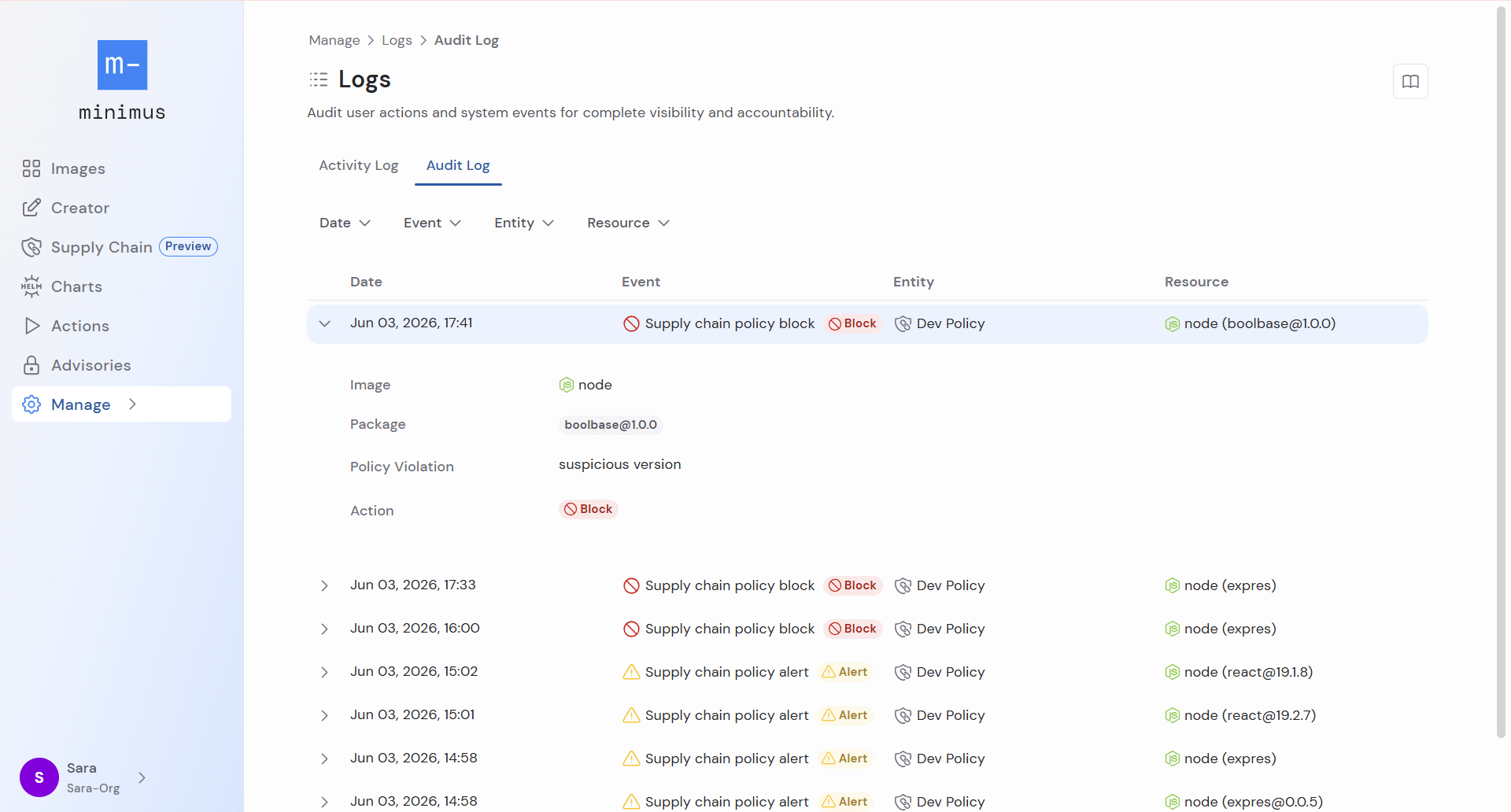
Audit logs list events related to Minimus supply chain policies. The data can be filtered by the following:
* Date
* Event type (supply chain policy alert or block)
* Entity (policy name)
* Resource (package that triggered the policy and the image).
Expand any row to see additional details including the policy violation.
The system logs the following activity and organizes by category:
1. Users
1. Added user
2. Deleted user
3. Updated user
2. Groups (for SAML/SSO)
1. Create group
2. Deleted group
3. Updated group
3. SAML
1. Updated SAML (This log can also refer to SAML enabled or disabled. Expand the log to view its details.)
4. Tokens
1. Created token
2. Deleted token
3. Updated token
5. Actions
1. Created action
2. Deleted action
3. Updated action
6. Image Creator
1. Launched private image build
2. Deleted private image
3. Updated private image
7. File bundles
1. Created file bundle
2. Deleted file bundle
3. Updated file bundle
8. Login/Logout
1. User login
2. User logout
9. minicli\
The performer listed for minicli events is the token used to authenticate the session.
1. Launched build via minicli (Logged for the command `minicli image build submit`)
2. Deleted private image via minicli
3. Saved private image via minicli (Logged for the command `minicli image apply`)
## Audit logs
Audit logs list events related to Minimus supply chain policies. The data can be filtered by the following:
* Date
* Event type (supply chain policy alert or block)
* Entity (policy name)
* Resource (package that triggered the policy and the image).
Expand any row to see additional details including the policy violation.