> ## Documentation Index
> Fetch the complete documentation index at: https://docs.minimus.io/llms.txt
> Use this file to discover all available pages before exploring further.
# User Roles
> Roles define and manage user access permissions for Minimus users
Roles are used to control user access permissions. The following table shows a comparison of Minimus user roles.
| **Feature** | **Viewer** | **Operator** | **Admin** |
| :--------------------------------------------------- | :--------- | :----------- | :-------- |
| [Image Gallery](/gallery) | ✅ | ✅ | ✅ |
| [Image Creator](/enterprise-edition/image-creator) | RO | RW | RW |
| [Actions](/remediate/actions) | RO | RW | RW |
| [Self-hosted Registry](/manage/self-hosted-registry) | ⛔ | ✅ | ✅ |
| [User Management](/manage/users) + [SAML](/sso/saml) | ⛔ | ⛔ | RW |
| [Token Management](/manage/token) | RO | RW | RW |
| [Helm Charts](/foundations/helm-charts) | ✅ | ✅ | ✅ |
| [Activity Logs](/manage/activity-log) | ⛔ | ⛔ | ✅ |
* RO stands for Read-only
* RW stands for Read and Write
## Highest role "wins"
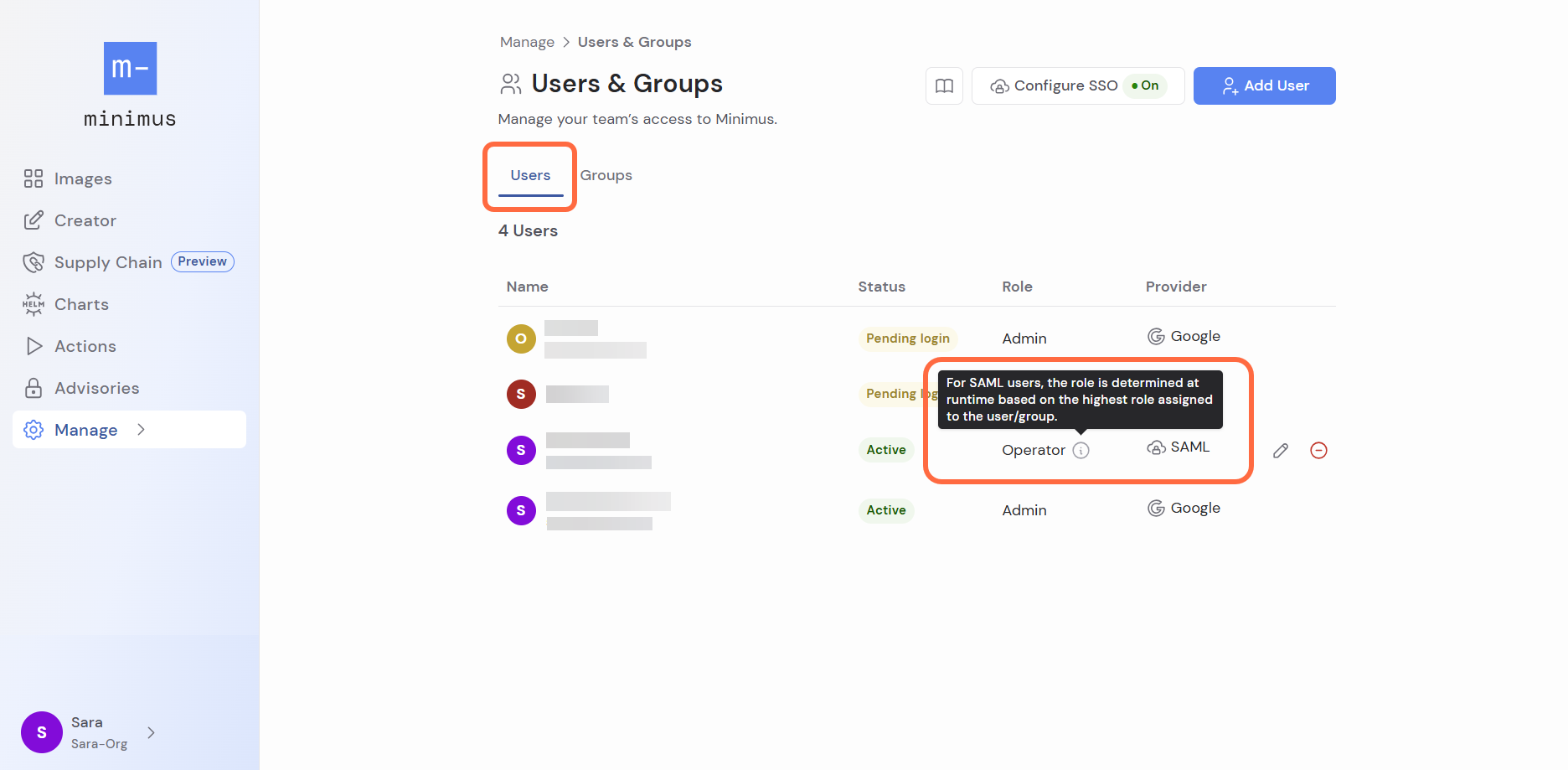
If a SAML user belongs to multiple groups with competing roles, Minimus will assign the highest available role. The calculation is done at runtime.
Assigning the highest role provides a clear and predictable method for resolving overlapping permissions. This approach prevents accidental loss of required access and avoids ambiguity. It also simplifies permission evaluation and makes access configurations easier for administrators and users to understand.
## New group assignment
Group membership cannot reduce a user’s permissions. You can be confident that adding an existing SAML user to another group will not unintentionally reduce their role.
## SAML user role
Typically, SAML user roles are managed via groups. However, you have the option to elevate a specific user's role independently of any group. [Instructions](/manage/users#elevate-user-role)
## Troubleshooting SAML user permissions
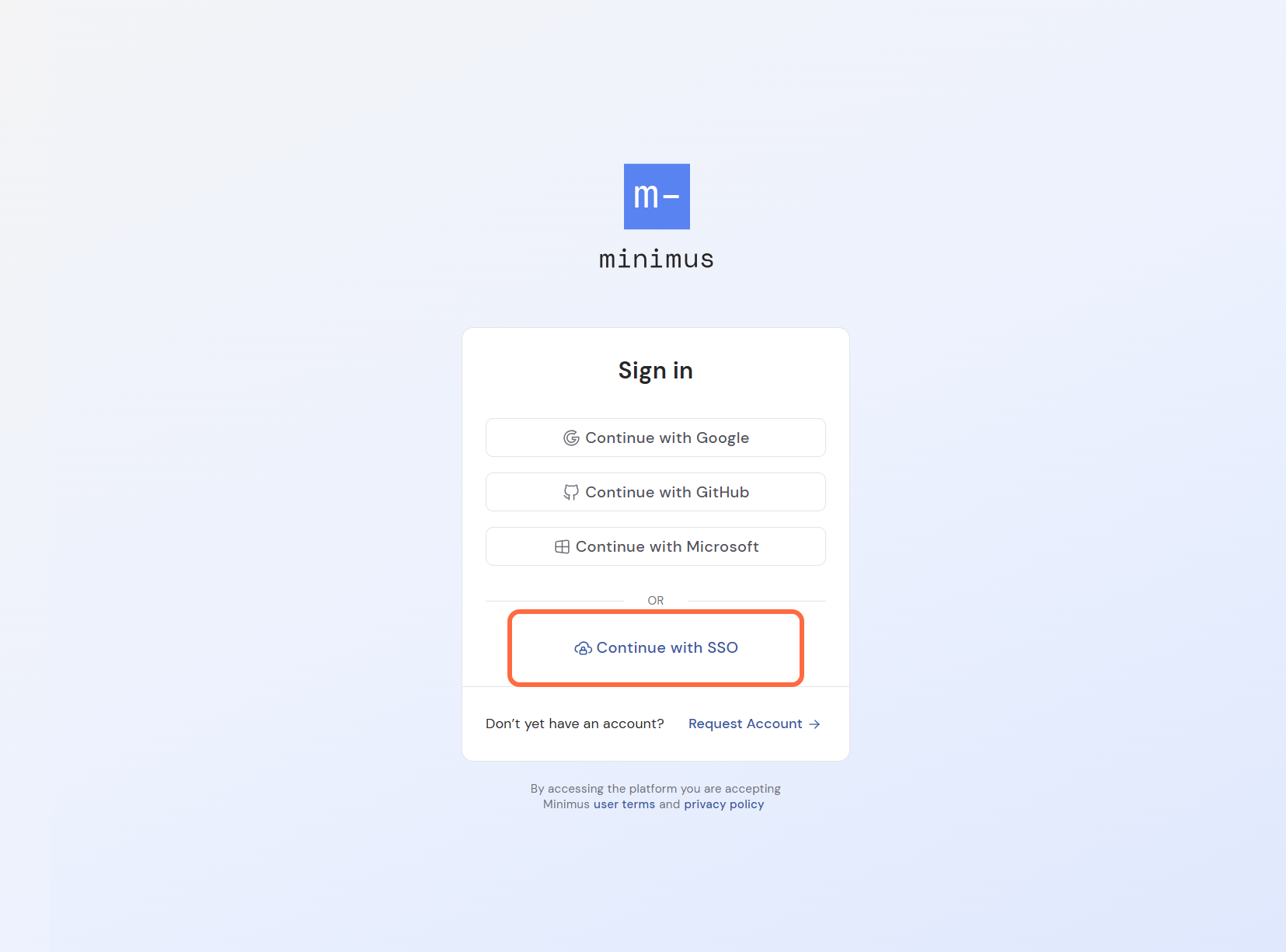
1. In case of recent SAML changes, ask the user to log out then log back in. SAML changes only take effect when the user logs in.
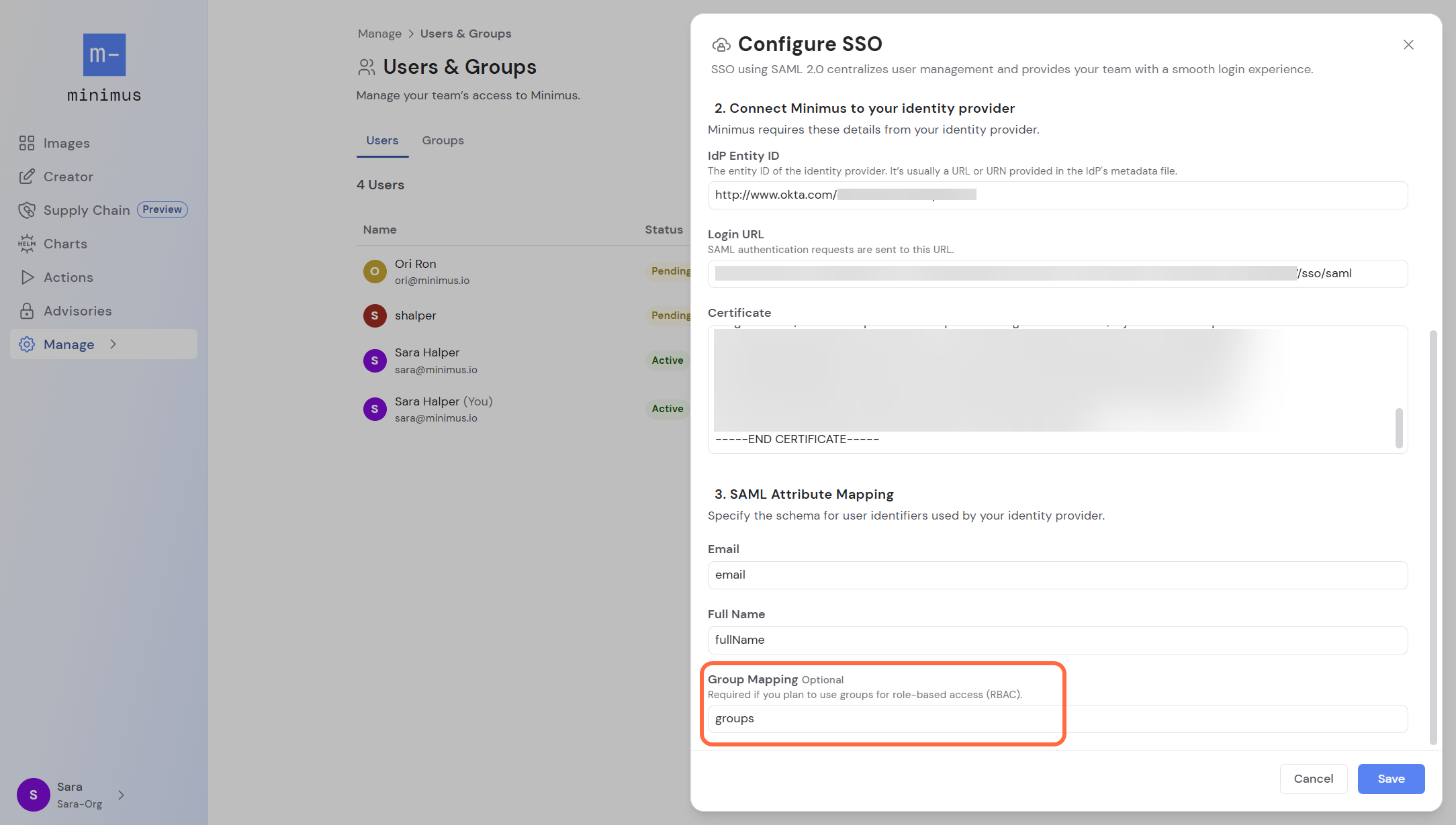
 2. Make sure the group is correctly configured in the Minimus SAML form. [Learn more](/sso/okta)
 3. Check for a SAML user role override in the users page. [Learn more](/manage/users#elevate-user-role)