> ## Documentation Index
> Fetch the complete documentation index at: https://docs.minimus.io/llms.txt
> Use this file to discover all available pages before exploring further.
# Advisory Drill-Down
> Drill down on a specific advisory to learn more about the risk and the affected images
Drill down on a specific advisory to see the following details:
* Overview of the severity, exploitability label, date published, and last update
* Description of the vulnerability quoted from NVD or GitHub advisories with a link to view the CVE listing directly in the NVD database
## Internal advisory tabs
Advisory data is organized internally by tabs to make the information easy to interpret.
### Origin packages
Each advisory describes one origin package impacted by a single vulnerability. Minimus groups advisories together by vulnerability to simplify the display. Package-specific information for each of the affected origin packages is shown in expandable cards. Expand each card to see the advisory status, version information, fixed image version and more.
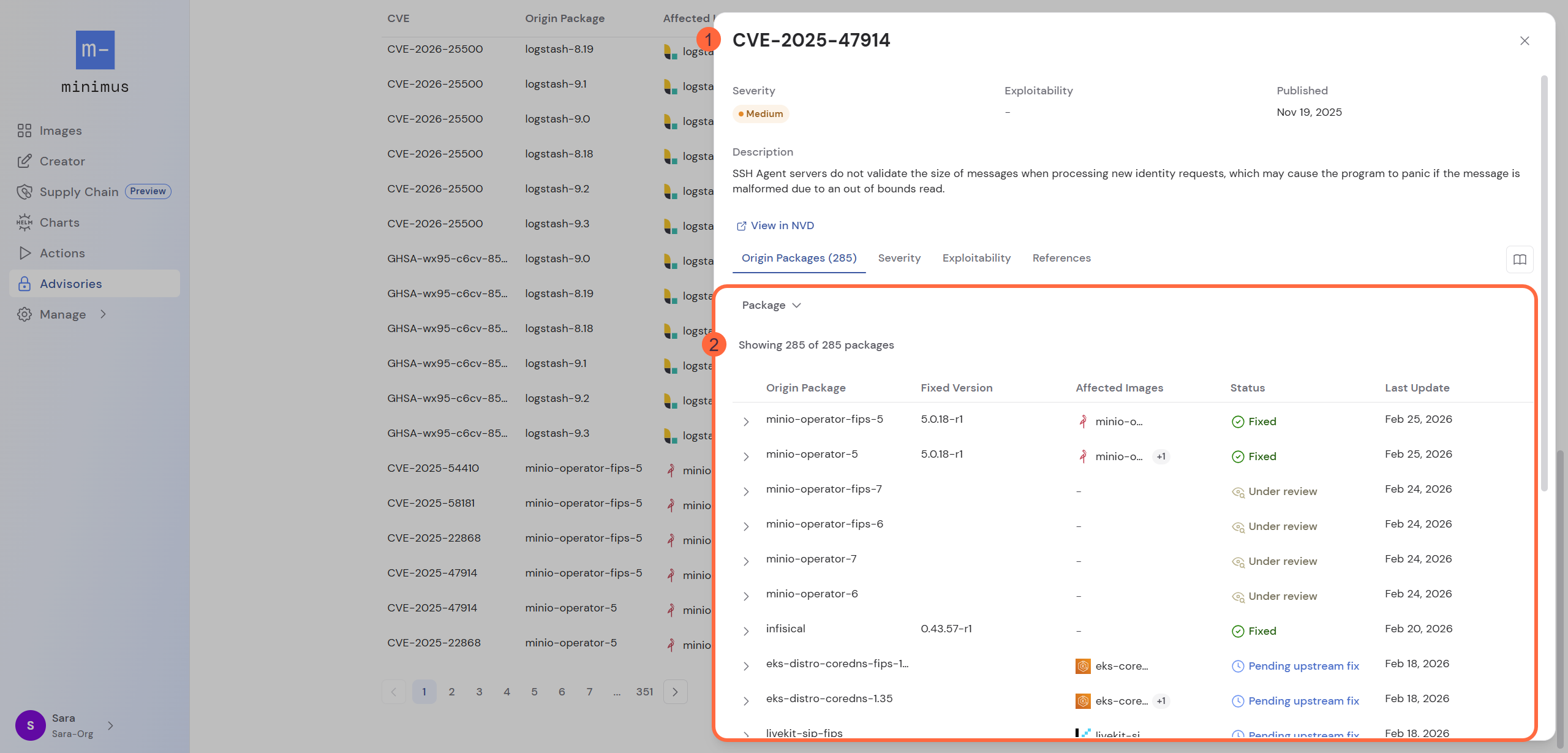 When drilling down from the advisories table, a filter is applied by default for the specific origin package. Clear the filter to see all packages affected by the same vulnerability.
Filter the advisory by the origin package to see more details. Every origin package card shows:
* Affected images
* The current advisory status (fixed, unaffected, pending upstream fix, etc.)
* Fixed package version (if available)
* Fixed image version (if available) with a direct link to view the [image version card](/foundations/image-version)
* Date when the advisory was last updated
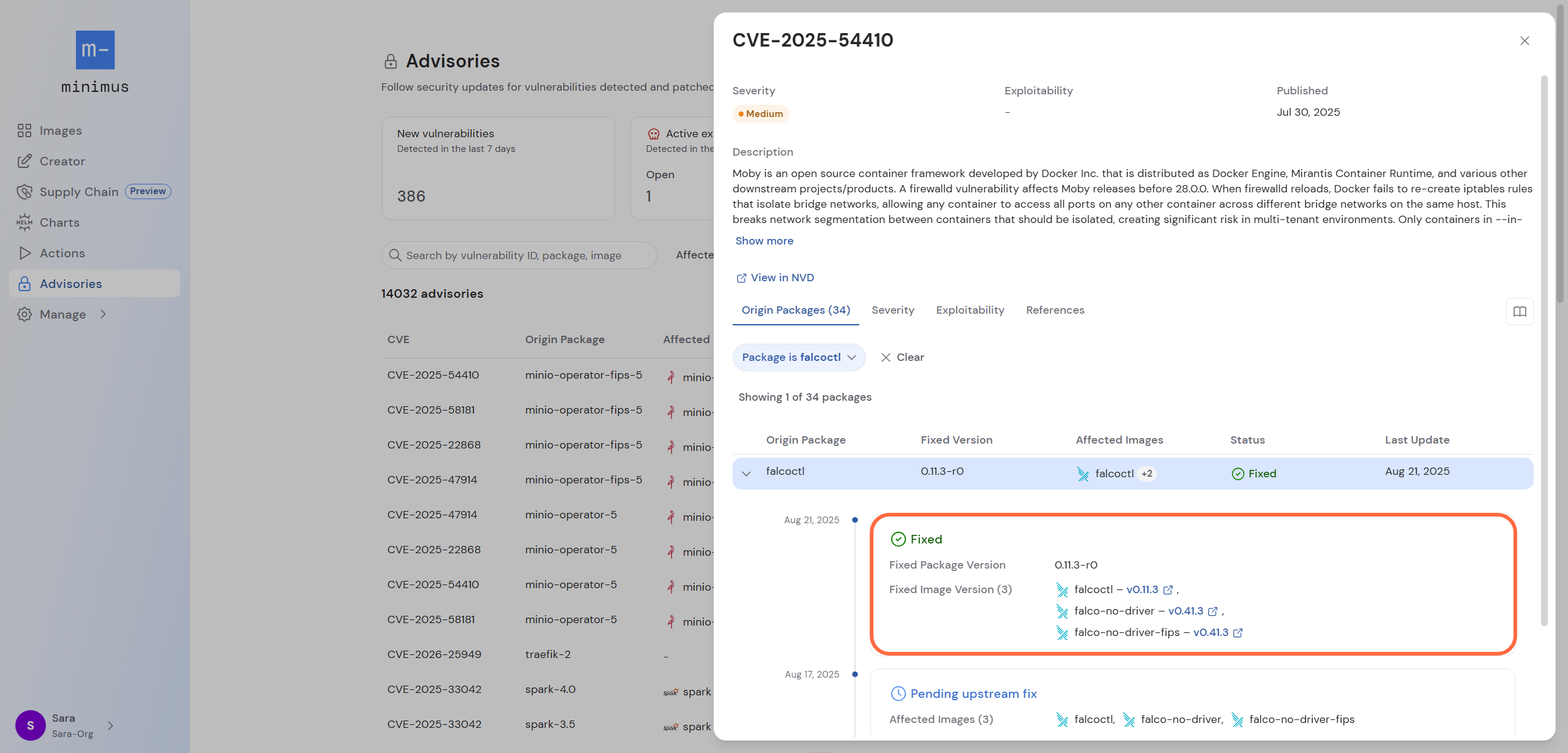
### Fix version information
If the package and associated images have already been fixed, the fixed image versions will be provided with direct links to view the image cards.
When drilling down from the advisories table, a filter is applied by default for the specific origin package. Clear the filter to see all packages affected by the same vulnerability.
Filter the advisory by the origin package to see more details. Every origin package card shows:
* Affected images
* The current advisory status (fixed, unaffected, pending upstream fix, etc.)
* Fixed package version (if available)
* Fixed image version (if available) with a direct link to view the [image version card](/foundations/image-version)
* Date when the advisory was last updated
### Fix version information
If the package and associated images have already been fixed, the fixed image versions will be provided with direct links to view the image cards.
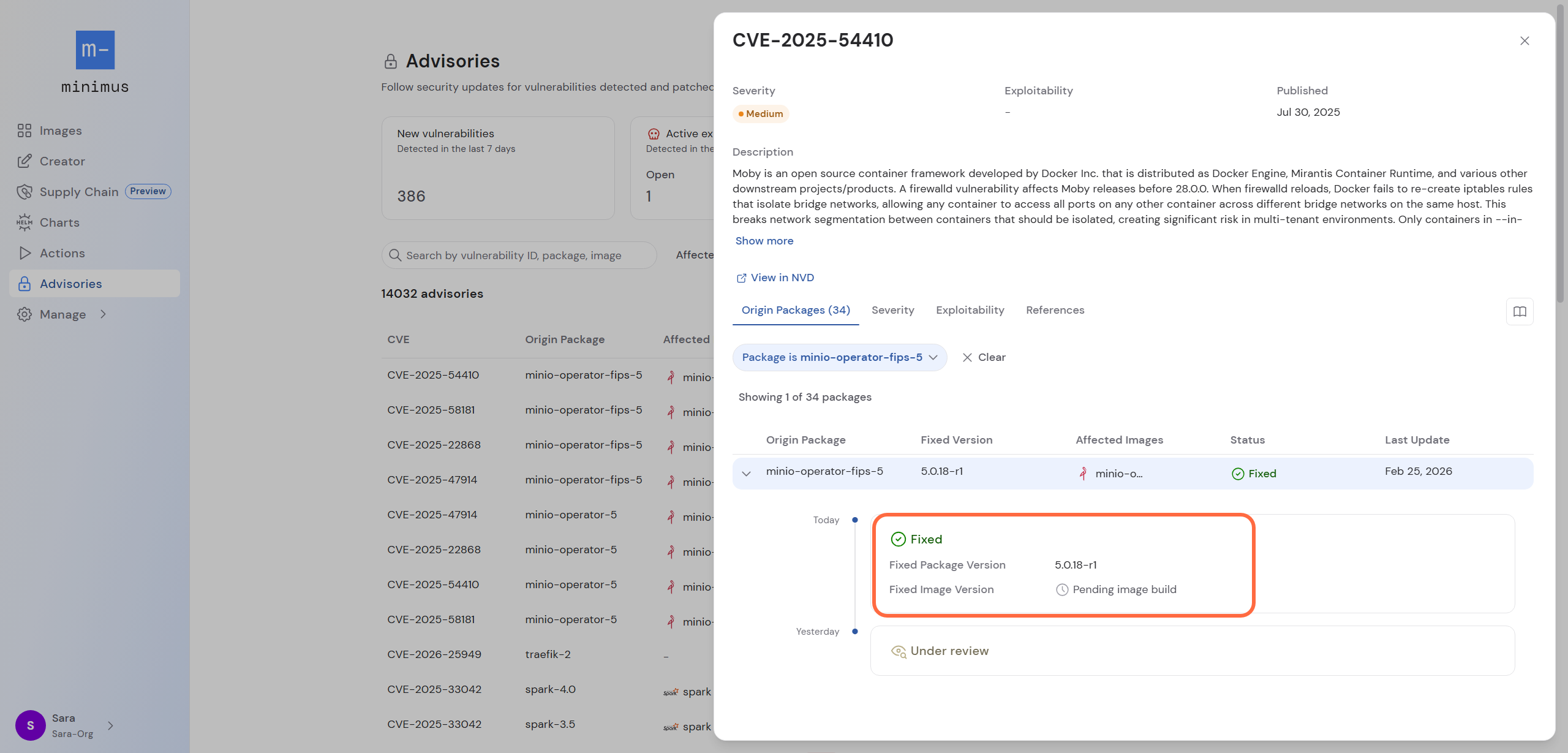
 If the package was already fixed, but the fixed image is still pending the build, the **fixed image version** will clearly state that it is **pending image build**.
 ### Severity
The Severity tab shows severity details with the CVSS vector details and CVSS version information.
### Exploitability
The exploitability tab shows details about CISA KEV and EPSS probability and percentile rank scores.
### References
The references tab shows links to recommended reference material.
## Status history
For every affected package, expand the listing to view a history of the advisory statuses. You will see when the advisory came under review and the different updates provided with the rationale, when applicable.
Examples for status notes:
* If a package is listed as unaffected by the CVE, it will explain why the advisory is a false-positive. For example, the vulnerable code may not be present in the Minimus package.
* If a fix is not planned, the note will explain why. For example the package may have reached its end-of-life (EOL).
### Severity
The Severity tab shows severity details with the CVSS vector details and CVSS version information.
### Exploitability
The exploitability tab shows details about CISA KEV and EPSS probability and percentile rank scores.
### References
The references tab shows links to recommended reference material.
## Status history
For every affected package, expand the listing to view a history of the advisory statuses. You will see when the advisory came under review and the different updates provided with the rationale, when applicable.
Examples for status notes:
* If a package is listed as unaffected by the CVE, it will explain why the advisory is a false-positive. For example, the vulnerable code may not be present in the Minimus package.
* If a fix is not planned, the note will explain why. For example the package may have reached its end-of-life (EOL).