

Daily security updates
For every image line, the most recent version is actively maintained by Minimus. This means Minimus builds the most recent image version within every image line every time there is an update in any of the internal packages or their dependencies. See architecture Once a new version is published in an image line, active maintenance is transferred to the new version. For example, nginx is typically released every 2 months (ref). Between these version releases, vulnerabilities are discovered and fixed in different packages that make up the image. Minimus builds all packages from source daily and then rebuilds the images from the most recent packages every day. This process ensures that Minimus delivers the most secure images available to its users as soon as possible.Package release cycle
Minimus builds packages on a rolling basis, as soon as an update is available upstream. If a new package version fixes a vulnerability, the advisory status will be changed to fixed as soon as the package is fixed. Affected images will show as pending image build until the daily image build cycle completes and the new fixed version is released by Minimus. Learn moreImage release cycle
Minimus builds fresh images once a day from the latest packages. The images that Minimus actively maintains are always the last version in every image line. Older versions in every image line will begin to accrue vulnerabilities once they are no longer actively maintained. This will become clear from the vulnerability count and severity distribution. This is a good indication that you should upgrade to a newer version as soon as possible.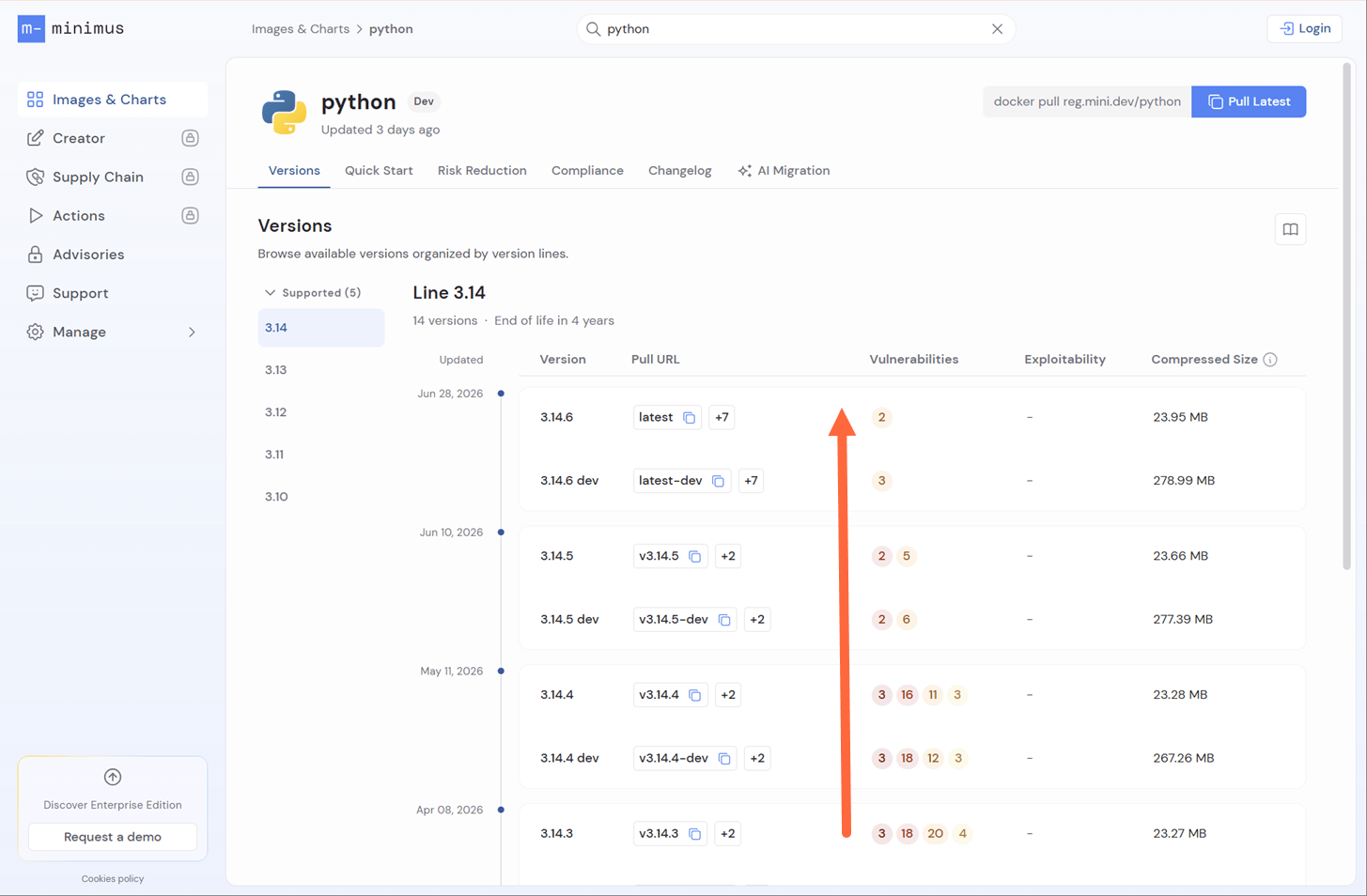
Older versions in the image line quickly accrue vulnerabilities, emphasizing the importance of upgrading to a newer version
3.14.6, the latest version in the image line, is actively maintained with new daily builds and package updates. Previous versions are not being rebuilt and will quickly accrue vulnerabilities.
Internal package updates
Minimus maintains the most recent version in each image line on a daily basis. Image versions that are actively receiving updates will be rebuilt whenever there are packages to update. These internal updates will not affect the image version, but will be recorded in the image Changelog and the Digest History.Same image version tag, different SBOM
The image version can be rebuilt without a change in the image version tag. The image version tag will stay the same, but the image will have a different SBOM, digest, and timestamp tag. The vulnerability status may be different too. The image is functionally the same, but packages under the hood have changed. The image version tag is determined by the version of the primary package (e.g. packagenginx in the nginx image, package python-x.xx in the Python image, and so forth). Other packages in the image are updated by Minimus on a daily basis, in keeping with the package and image release cycle.
Unique timestamp tag
Minimus uses a unique timestamp tag to identify its images in addition to the digest. The timestamp tag is a human-readable alternative to the image digest developed by Minimus. The unique timestamp tag can help you easily tell apart different builds for the same image version and reliably pull the most recent build for a specific version.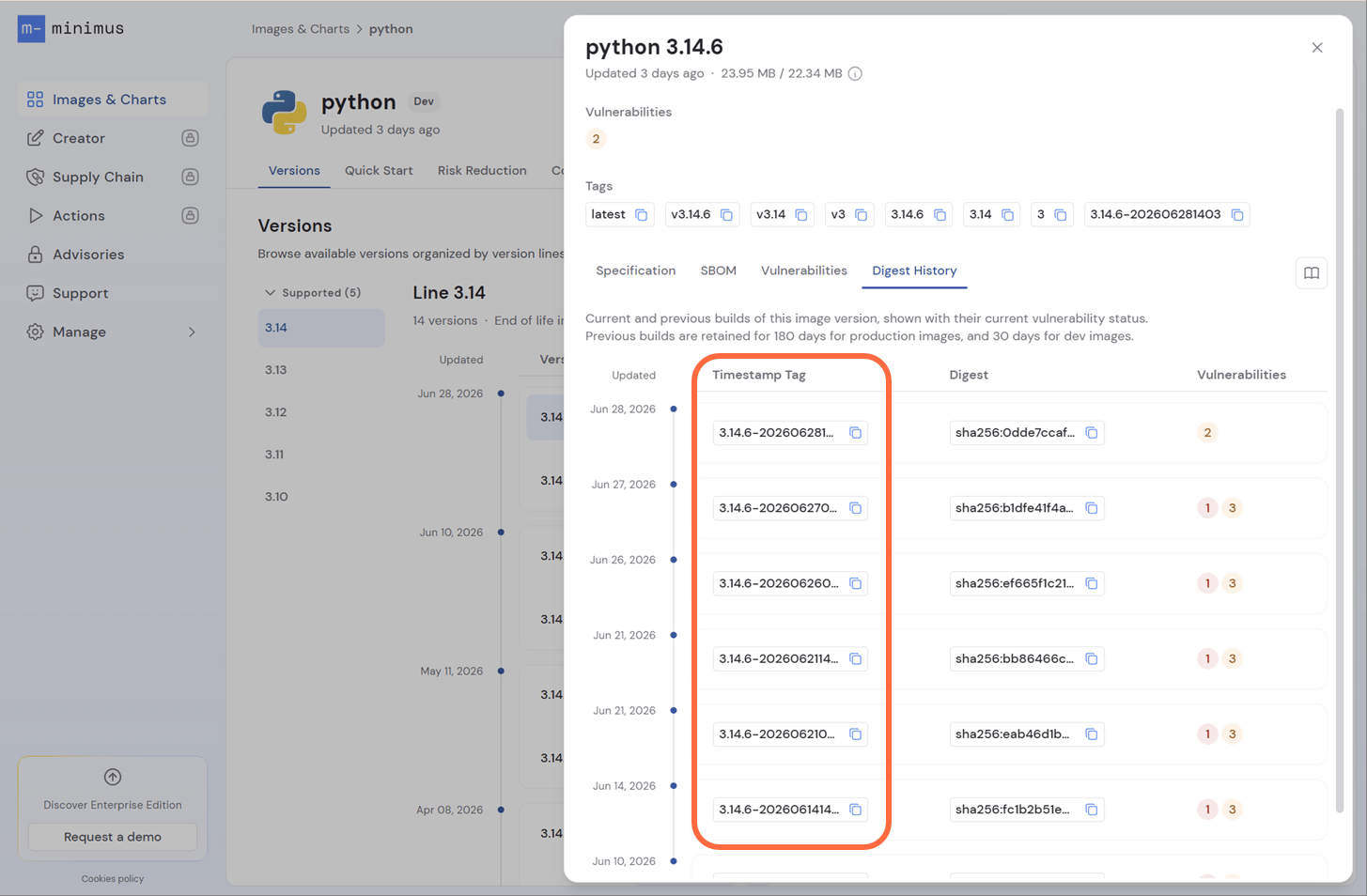
The timestamp tag is a human-readable alternative to the image digest
elasticsearch:8.17.2-dev-202503040032is the tag for the Elasticsearch image version8.17.2built on March 4, 2025 at 00:32 UTC.nginx:1.27.4-202503070038is the tag for the NGINX image version1.27.4built on March 7, 2025 at 00:38 UTC.
Example
Let’s look at an example to see how the image build cycle is reflected in the Minimus console. Consider Zookeeper’s latest image. On July 1, 2026, it was version3.9.5. When this screenshot was taken, the version had been out for over 3 months (link to image).
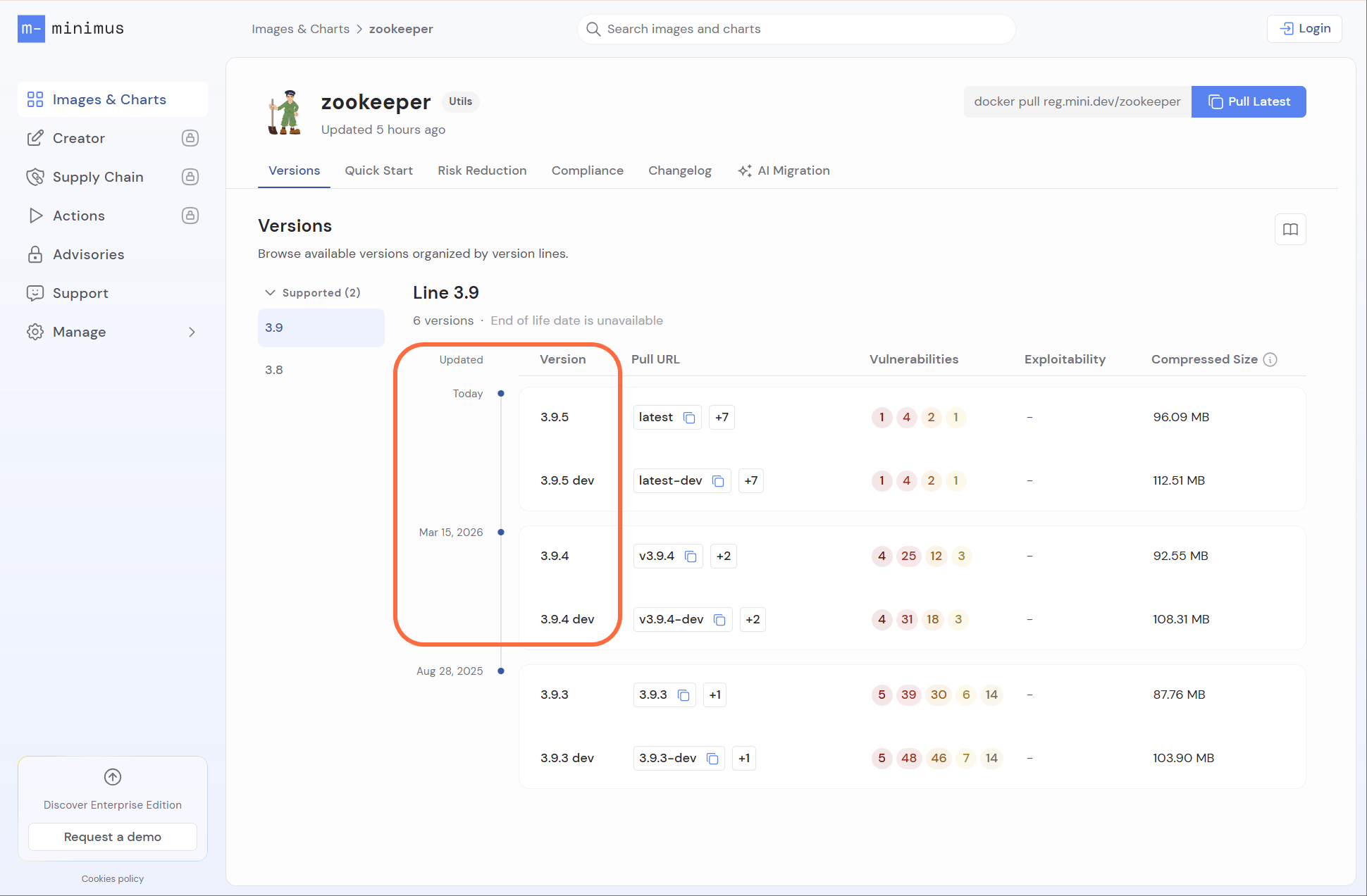
Timeline showing last update of different image lines
3.9.5 was updated by Minimus. The changelog shows there are 57 different digests for the same image version. This means that Minimus published the Zookeeper image version 3.9.5 57 times since the version was first released. The changelog lists all of these updates and shown which package updates were delivered and which CVEs were fixed.
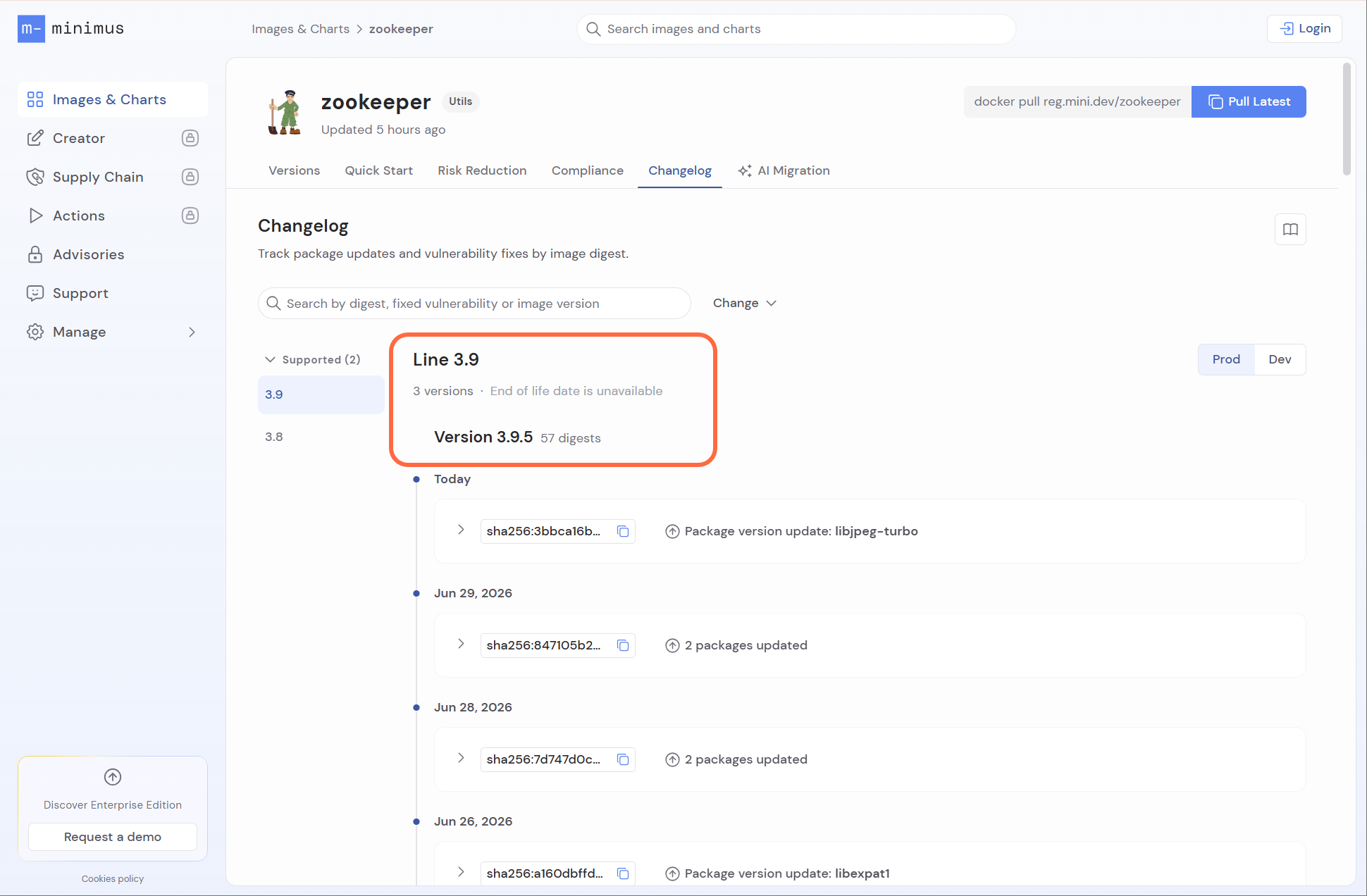
Changelog showing the number of digests per version. This is also the number of updates shipped since the version's release
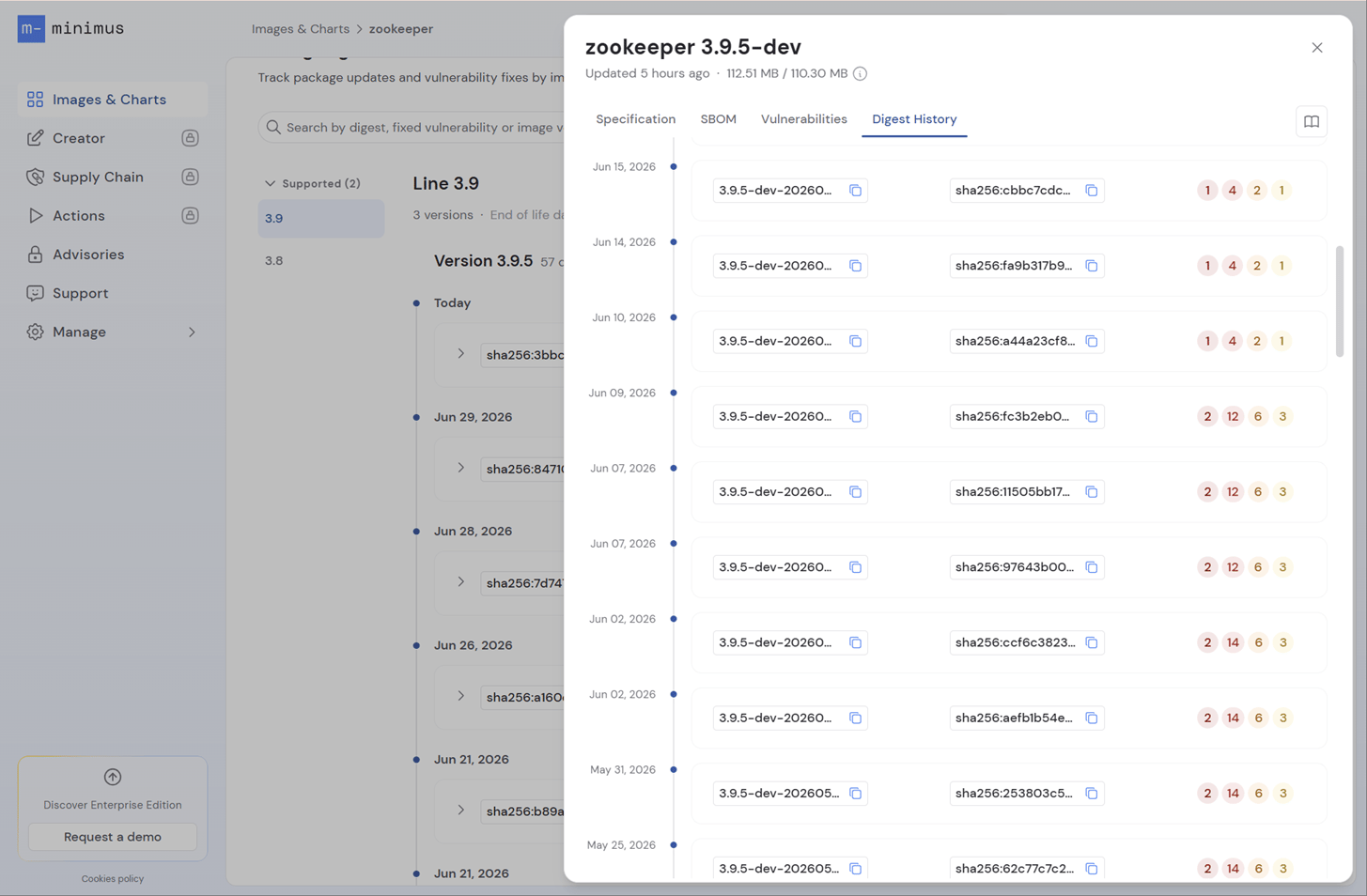
Digest History showing the current vulnerability count for every image build