

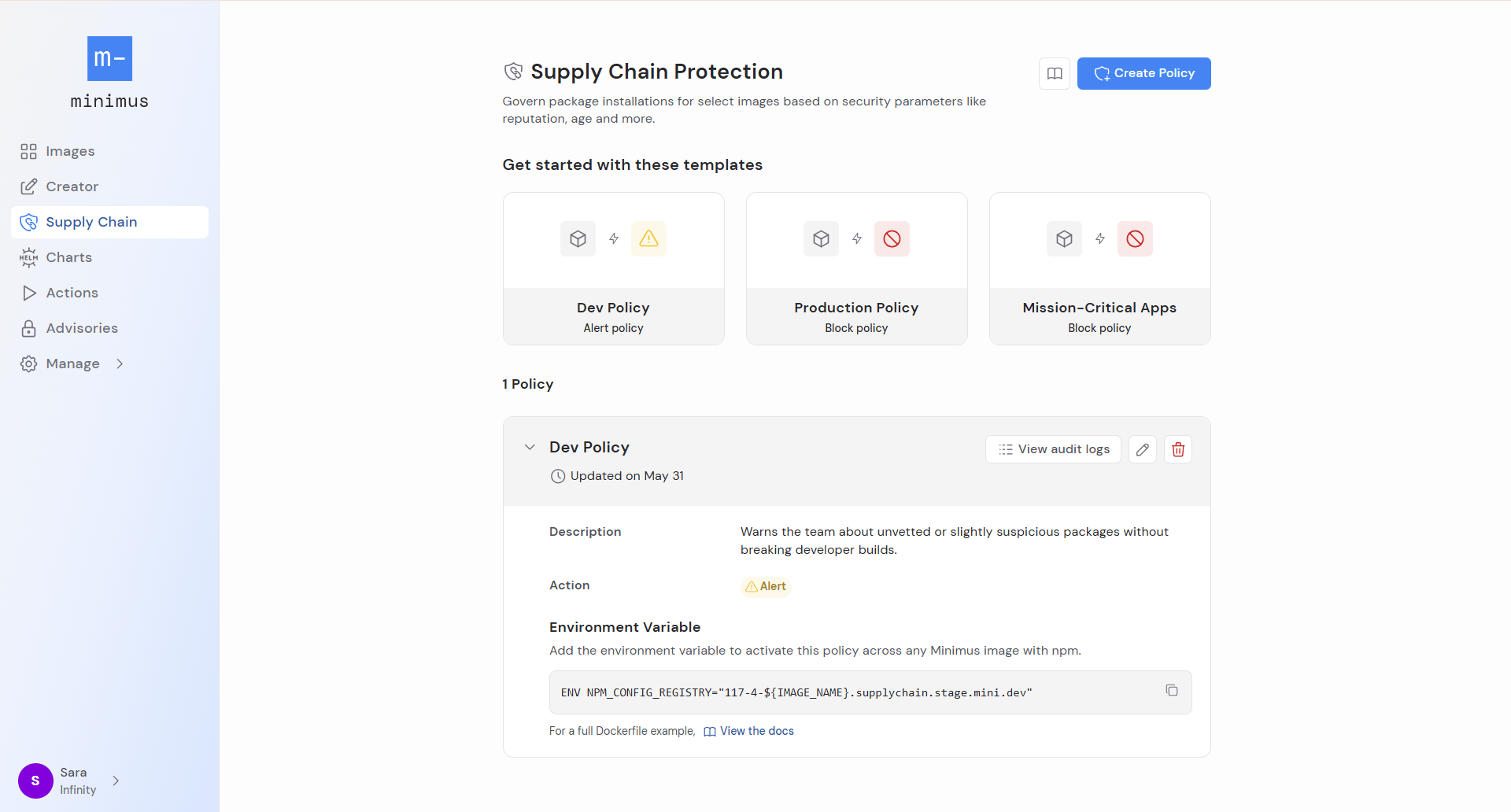
Create a Minimus supply chain policy
Policies are activated via an environment variable added to a Dockerfile or during runtime with any Minimus images. It’s standard practice to set up stricter policies for production and relax controls for dev environments. You can select a policy from the provided templates or create one from scratch.Provide general details
Provide a name and description to identify the purpose of the policy and help your teammates understand its intended purpose.
Set the action
Decide if the policy should block suspicious packages or alert on them:
- If you select block, the policy will prevent installation of packages that trigger the policy guardrails and will fail builds.
- If you select alert, the policy will generate security alerts in the Minimus Audit Log.
Configure thresholds
Set the policy’s risk thresholds and trust requirements. A violation of any of these rules will activate the policy.
- Cooling-off period - Protects against package versions that haven’t been out long enough to be vetted by the community. It sets a minimum number of days since the version’s release.
- Popularity - Protects against package versions that haven’t yet been vetted by the community. It sets a minimum number of pulls over the previous 7 days.
- Typosquatting risk - Toggle this setting on to enable it. It protects against packages with suspicious names, misspellings, or look-alikes of popular packages.
- Suspicious version release - Toggle this setting on to enable it. It protects against package versions present on a registry that lack a corresponding tag, release, or entry in the project’s GitHub repository.
Activate Minimus supply chain policy for npm
Once the policy is ready add the environment variable to your Dockerfile or runtime command to activate the policy and protect your supply chain. Currently the policy protects npm and should be activated for Minimus images that include npm. These may be Node-based images or private images that include npm. Format of the environment variable:-e NPM_CONFIG_REGISTRY="https://<policy-ID>-${IMAGE_NAME}.supplychain.mini.dev
Example of a Minimus supply chain policy activated in a Docker run command:
Run command example
Dockerfile example with Minimus supply chain policy
-e NPM_CONFIG_REGISTRY:
minimus-node:
Test your supply chain policy
For testing purposes, we will runreg.mini.dev/node:latest-dev with a Minimus supply chain policy set to alert and open a shell:
Test supply chain policy with node:latest-dev
Trigger the cooling-off period guardrail
Test the cooling-off period guardrail by finding and installing a recently published package version: First, check when recent versions of a package were published. (This command works best when the policy is in alert mode. In block mode, the policy will only fetch packages that aren’t blocked):Install a version published within your cooling-off window so it triggers the policy:
- If your policy is set to block, the install will return an error and an alert is generated in the Minimus Audit Log.
- If your policy is set to alert, the install will succeed and an alert is generated in the Minimus Audit Log.
Trigger a typosquatting guardrail
Try installing a package with a suspicious name to test the typosquatting guardrail:
- If your policy is set to block, the install will return a 403 error and an alert is generated in the Minimus Audit Log.
- If your policy is set to alert, the install will succeed and an alert is generated in the Minimus Audit Log.
Check the Audit Log
Open the Audit Log in Minimus to review policy activity from your test run, including any blocked installs or alerts (direct link).
Summary
You can test each guardrail individually using these tips:| Guardrail | How to trigger it |
|---|---|
| Cooling-off period | Install a package version published within the last N days |
| Popularity | Install an obscure package with very few weekly pulls |
| Typosquatting | Try a common misspelling like expres. Keep in mind that detection is heuristic and depends on the policy’s algorithm so it may not trigger |
| Suspicious version | Install a version that exists on npm but lacks a corresponding GitHub release tag |