

Prerequisites
- Google Cloud project access:
- Permissions to access and create registries in Artifact Registry
- Permissions to create secrets in Google Secret Manager
- Artifact Registry API must be enabled in your Google project
- Access to Docker or Podman to execute an image pull. This may be done locally or within a Google Cloud Shell.
Set up a remote repository in Google Cloud
In this step, we will set up the Minimus registry as a remote repository in the Google Cloud Artifact Registry to enable pull through.1
Save Minimus token as secret
Save your Minimus token to the Google Secret Manager.
- Visit the Google Artifact Registry Secret Manager (direct link).
-
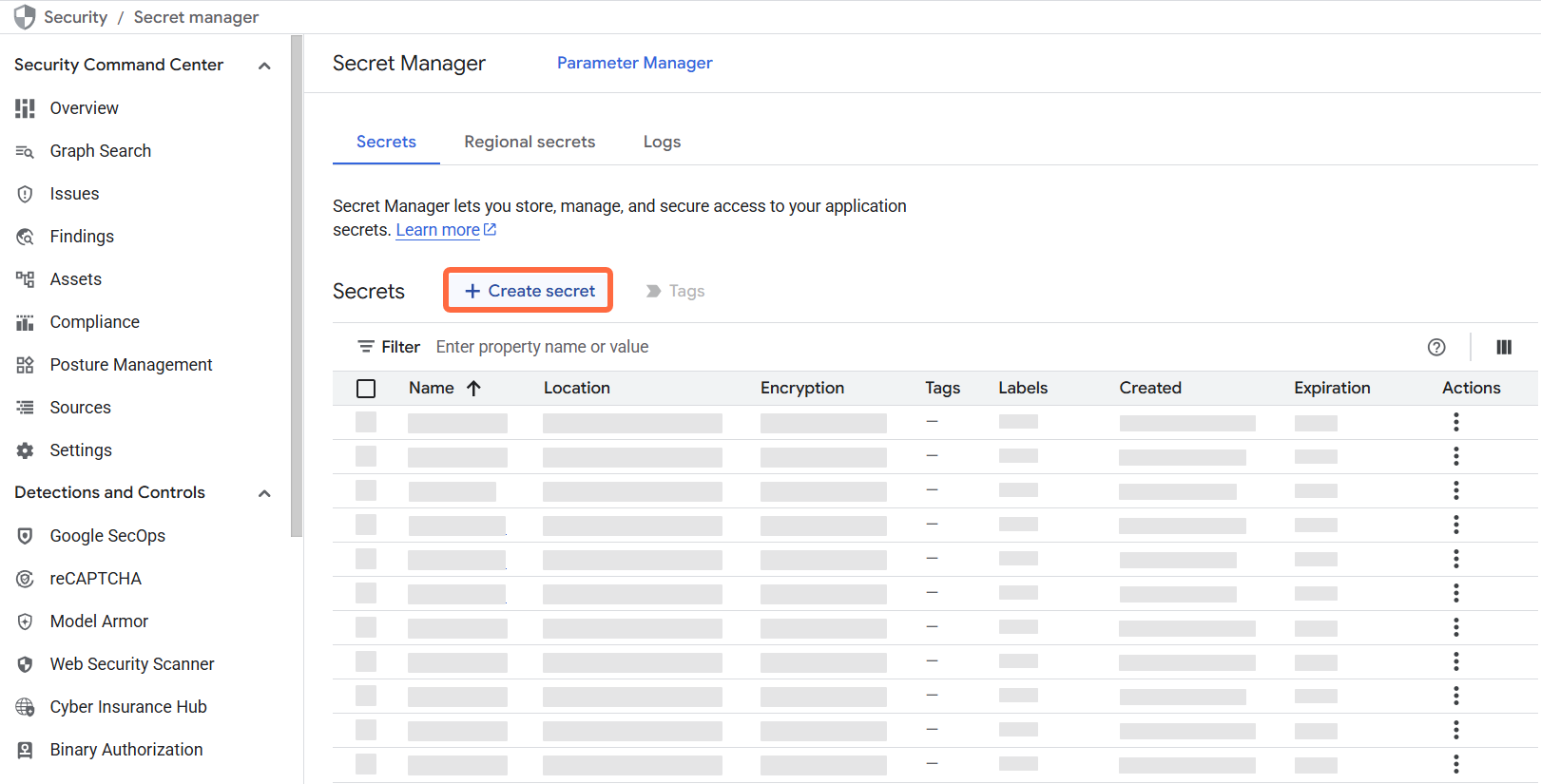
Select + Create secret (top banner):
-
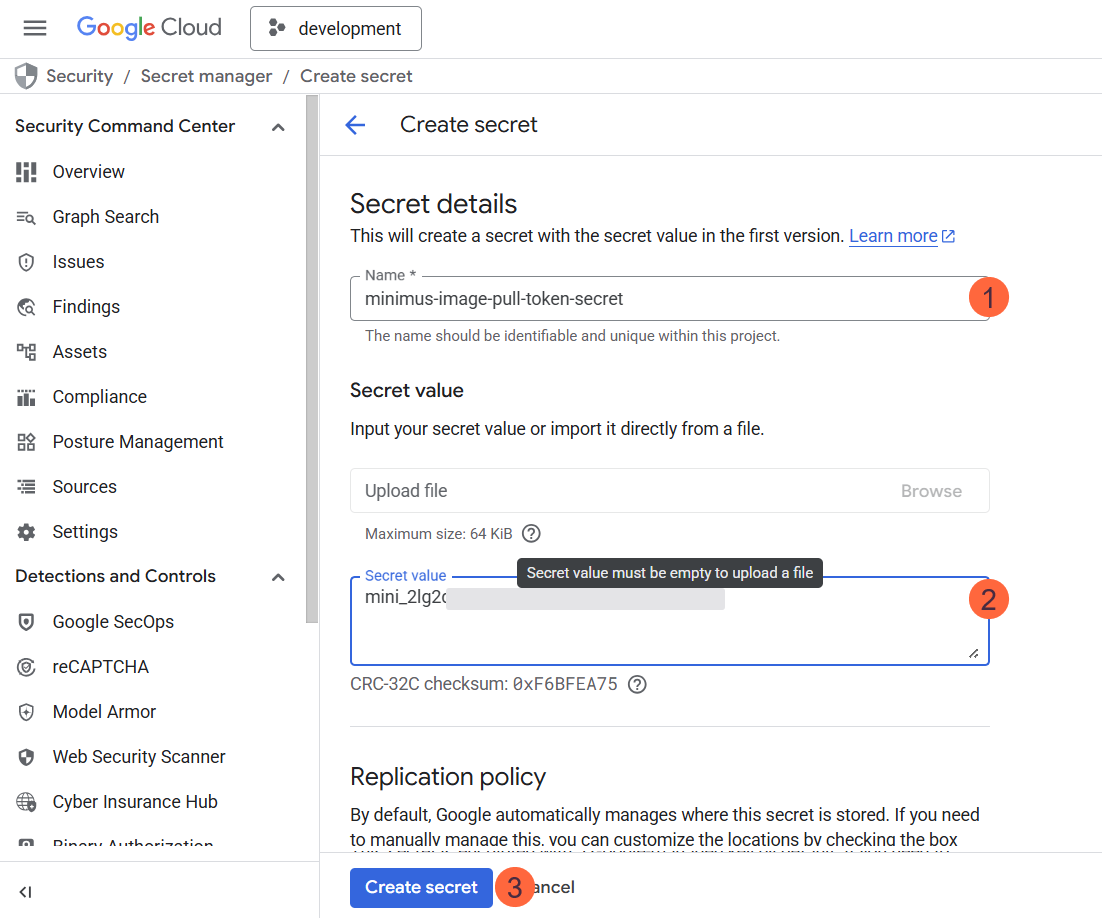
Fill in the form:
- Name your secret, for example,
minimus-image-pull-token-secret. - Secret Value: Paste your Minimus token as the value.
- Configure the rest of the options, including encryption and rotation periods. You can keep the defaults but we recommend that you align with your organizational policies.
- Select Create Secret to confirm and save the secret.
- Name your secret, for example,
2
Create a new repository in Artifact Registry
Now that the Minimus token is saved in the Google Secret Manager, you are ready to configure Minimus as a remote repository.
- Visit the Google Artifact Registry landing page
-
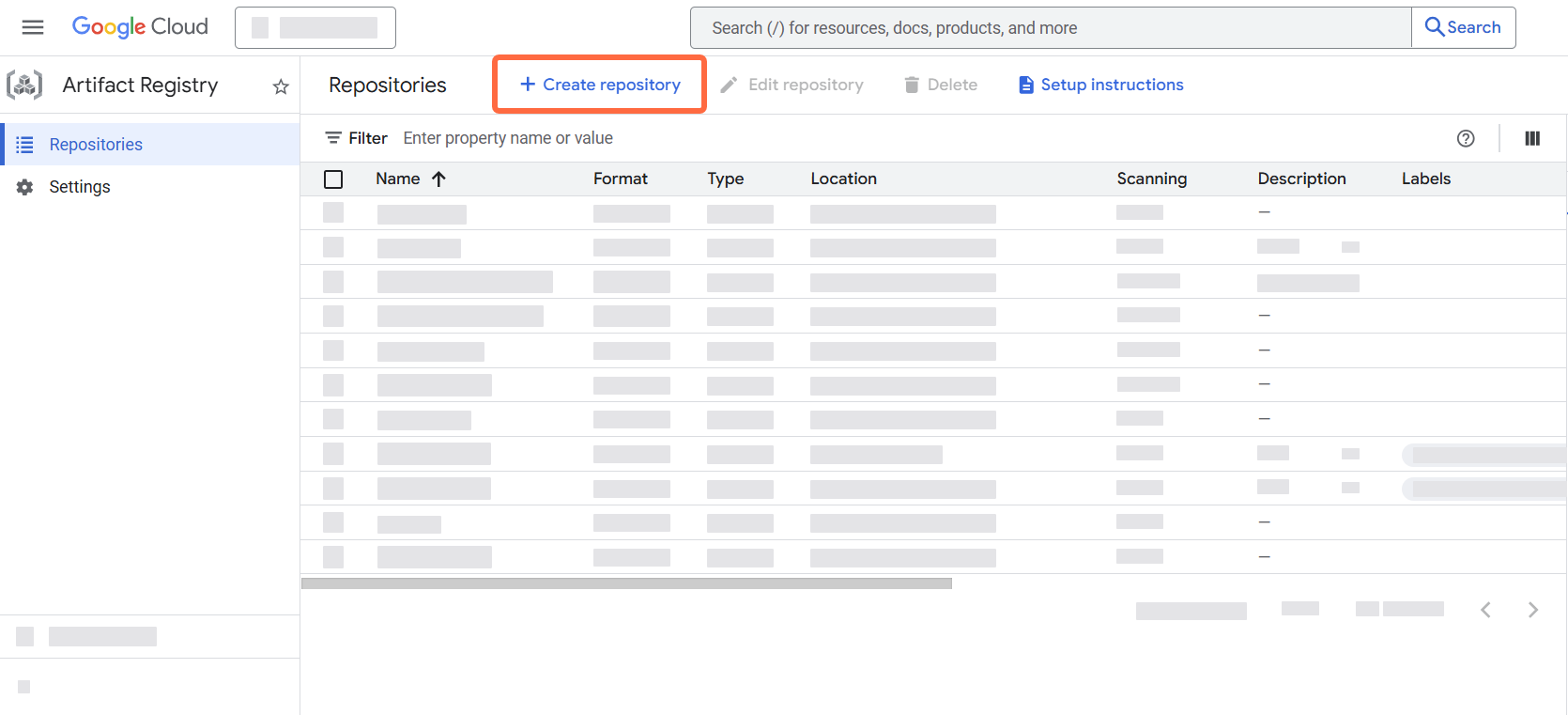
Select + Create repository (top banner):
-
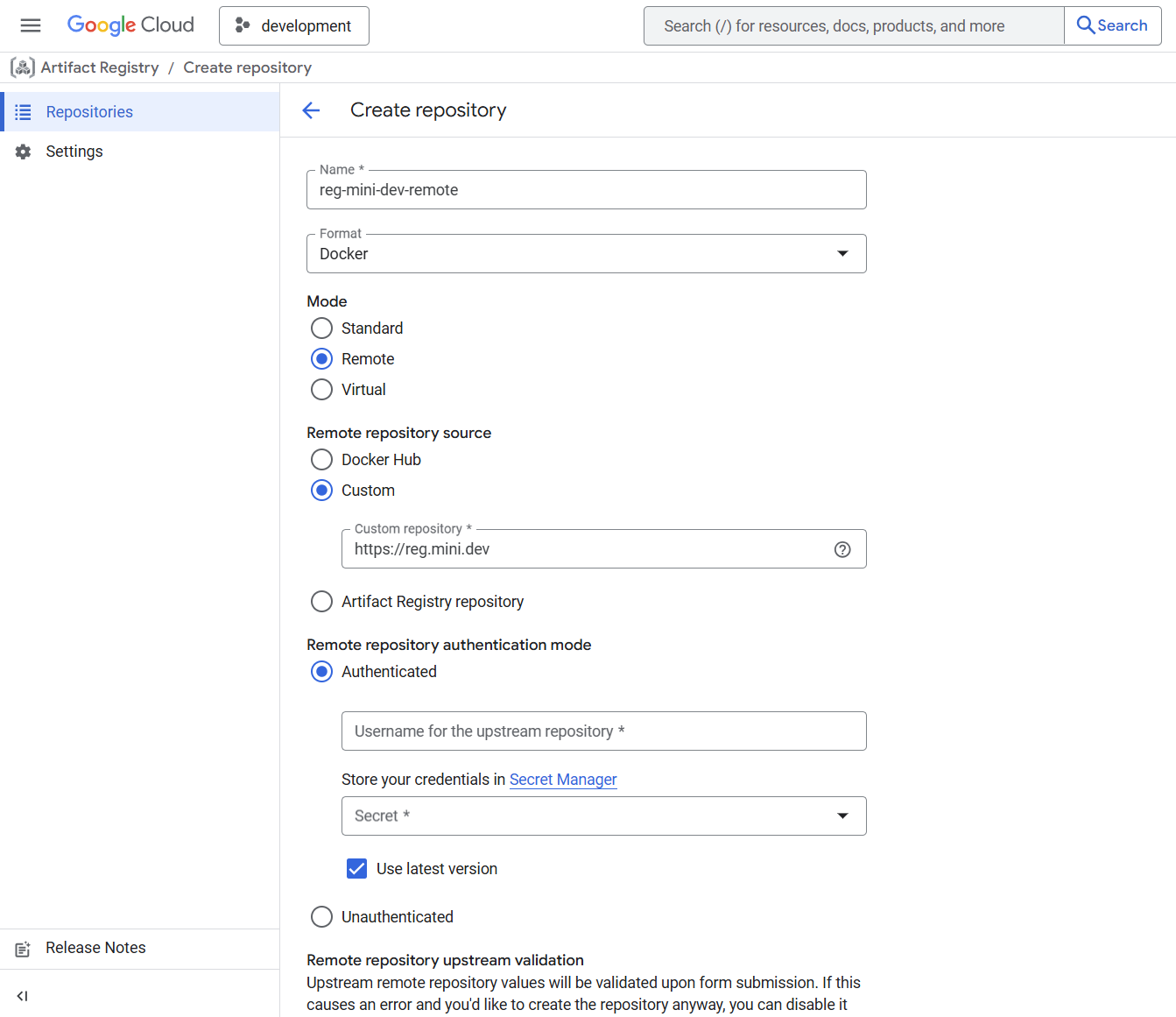
Fill in the form:
- Name the repository, for example,
reg-mini-dev-remote. - Format: Select Docker as the format.
- Mode: Select Remote from the available options.
- Remote repository source: Select Custom.
- Type in
https://reg.mini.devas the custom repository URL.
- Name the repository, for example,
3
Set up authentication
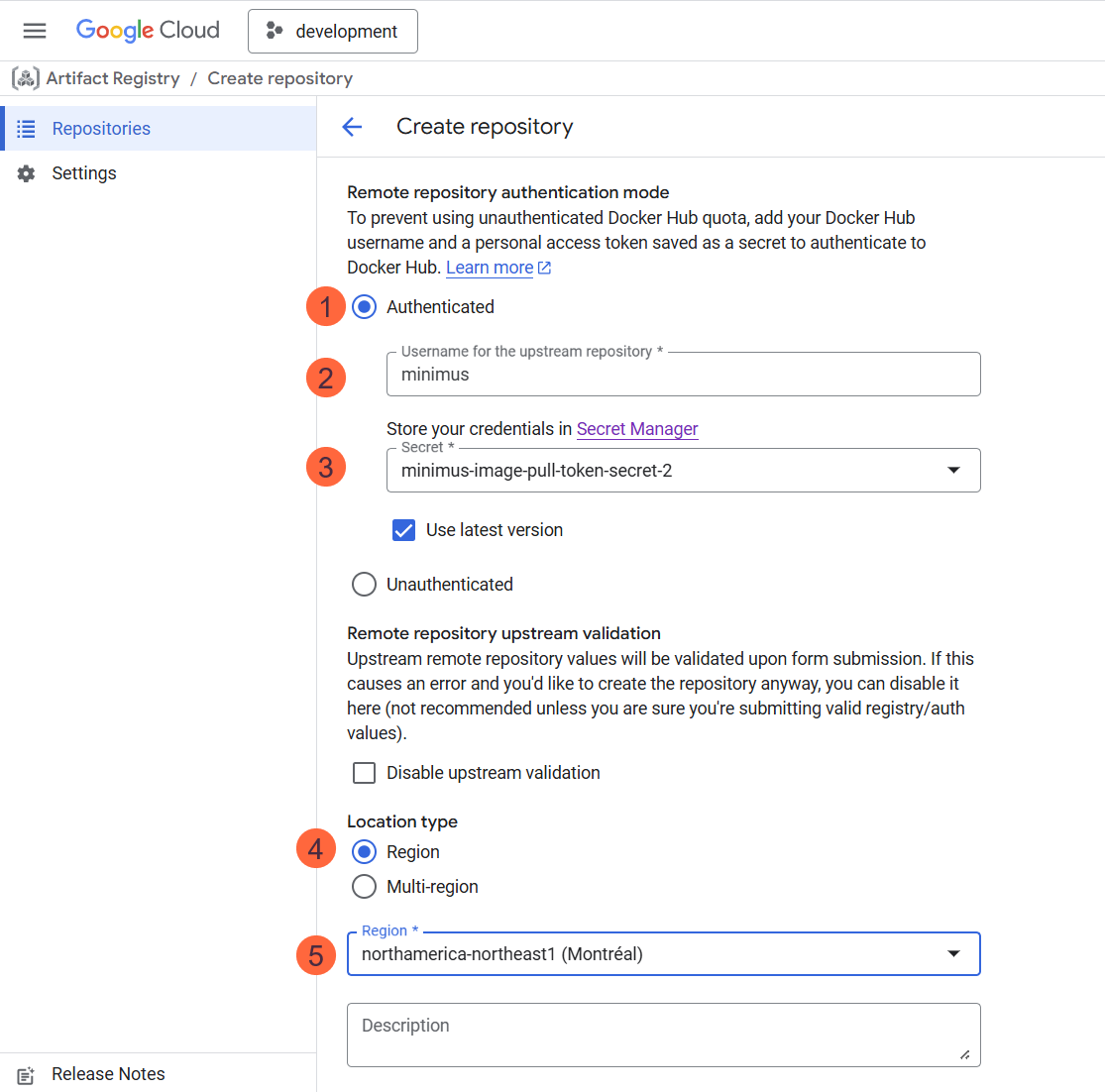
- Still in the same form, under the section Remote repository authentication mode, select Authenticated.
- Fill out the form:
- Username for the upstream registry: Enter the username
minimus - Secret: Select the name of the secret created in the previous step.
- Location type: Select Region
- Select the region from the list.
- Configure the rest of the options, including encryption, cleanup policies, artifact analysis, etc. You can keep the defaults but we recommend that you align with your organizational policies.
- Username for the upstream registry: Enter the username
4
Save to create the remote repository
Select Create at the bottom of the form. If successful, a success message will appear and you will be able to view the remote repository details.
Pulling Minimus images into Artifact Registry
Now that you’ve set up the Minimus registry as a remote repository, you are ready to pull Minimus images into your Google Cloud Artifact Registry. You can either trigger image pulls locally or via Google cloud shell with relative docker access to the Google registry. For purposes of this guide we will show how to use Google Cloud Shell from the Google Cloud Console.-
Authenticate to Google Cloud Shell from your Google Console. You should see a welcome message such as
Welcome to Cloud Shell!....
-
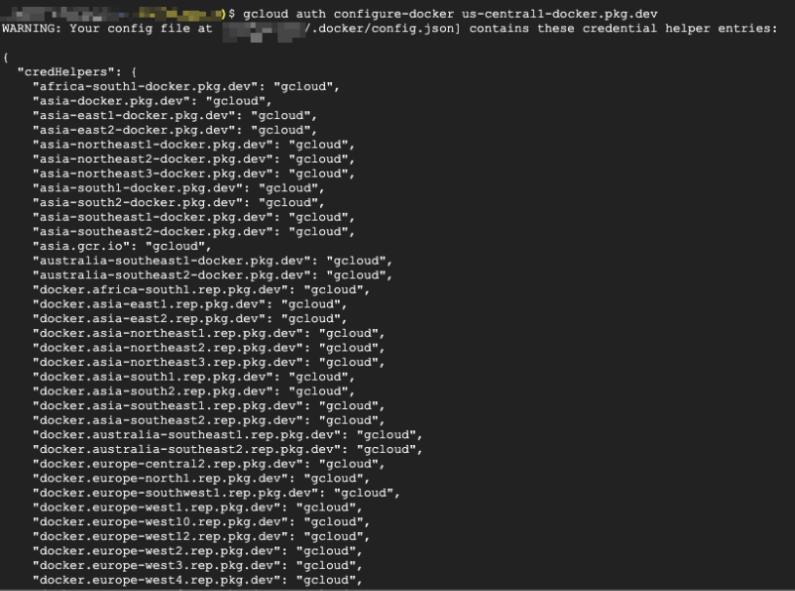
Validate that Docker access is configured locally:
Command template
-
Execute a Docker or Podman pull command:

- That’s it! You have validated that you can pull Minimus images into your Google Cloud Artifact Registry.