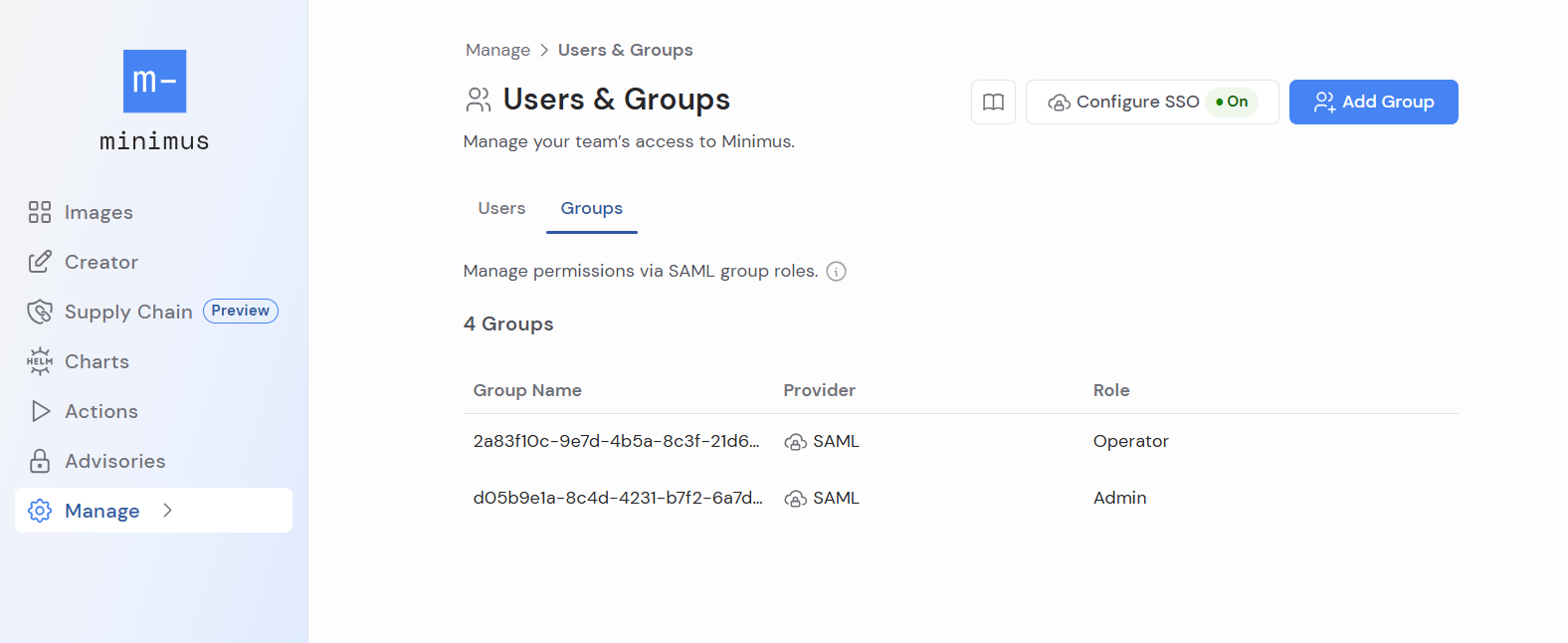
Add groups to control role-based access for SAML users (users who sign in with SSO). Groups are supported for Azure, Okta, Google and more.
Overview
The process is simple:
- In the Minimus console, configure SSO and enable SAML. Learn more
Make sure to configure the groups mapping attribute in the Minimus SAML form.
- In your identity provider, assign the relevant groups to the Minimus application. See the Okta example
- In the Minimus console, add the groups and set their role. Learn about user roles
That’s it. Permissions will automatically take effect the next time group members log into Minimus.
Add groups (Okta, Google, other)
SSO must be configured and enabled before you can manage groups in Minimus.
- In the Minimus SAML form (direct link):
- Enable Step 4: Group Mapping.
- Keep the default selection: Google / Okta / Other
- Enter the group mapping:
groups
- Next, go to Manage > Users & Groups (direct link).
- Click Add Group (top right).
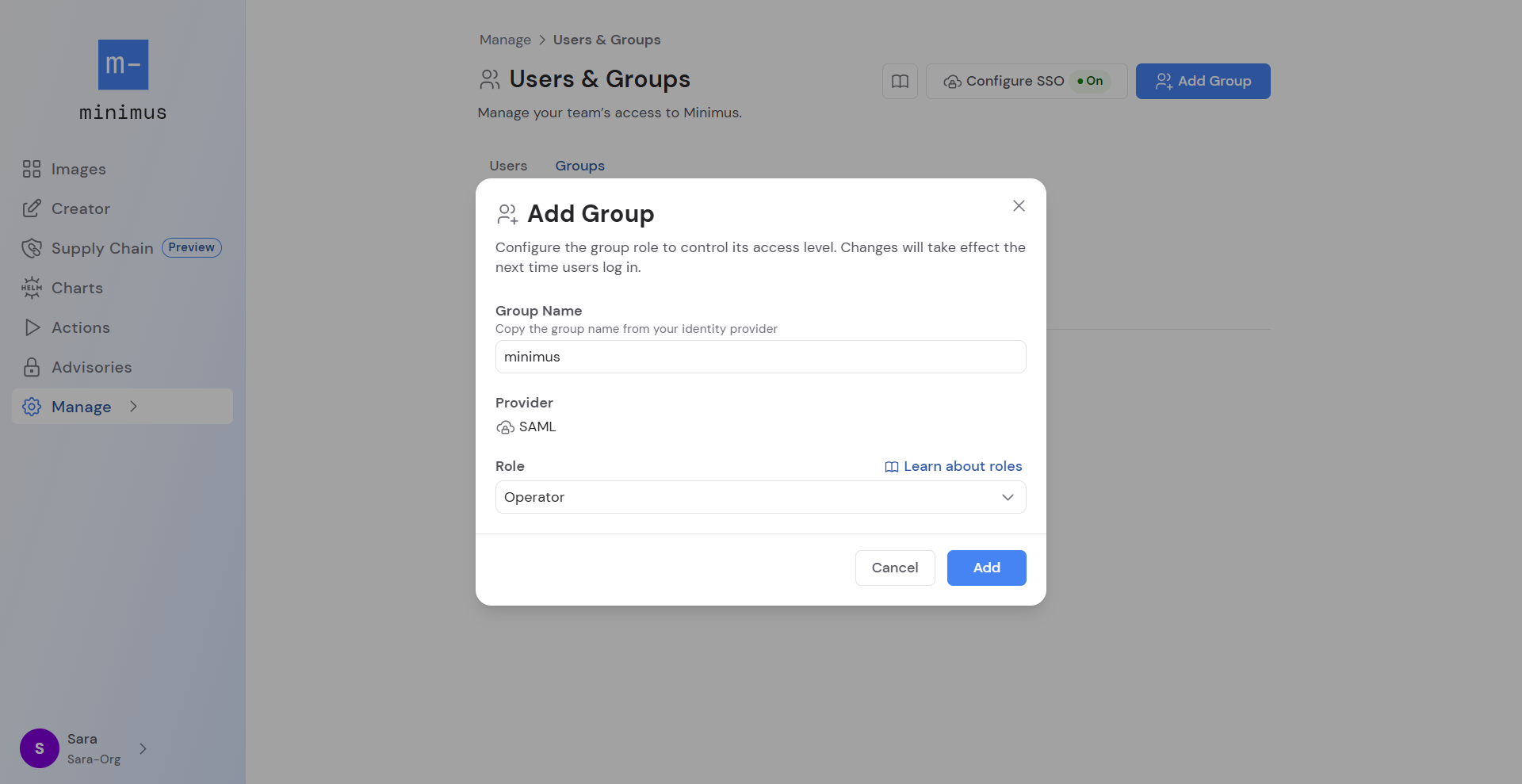
- Fill in the form:
- Specify the group name (or group ID) as listed in the identity provider.
- The provider will be set to SAML. This setting is hardcoded.
- Select the role: viewer, operator, admin. Comparison of roles
- Viewer is the default role. If no role is assigned, viewer will be automatically assigned.
- Operator role.
- Admin role.
- Save your changes. Changes will apply the next time a group member logs in with SSO.
 There are 2 different ways to map Azure groups to Minimus. The Minimus SAML form is configured differently for each.
Azure group names
- Open the Minimus SAML form (direct link):
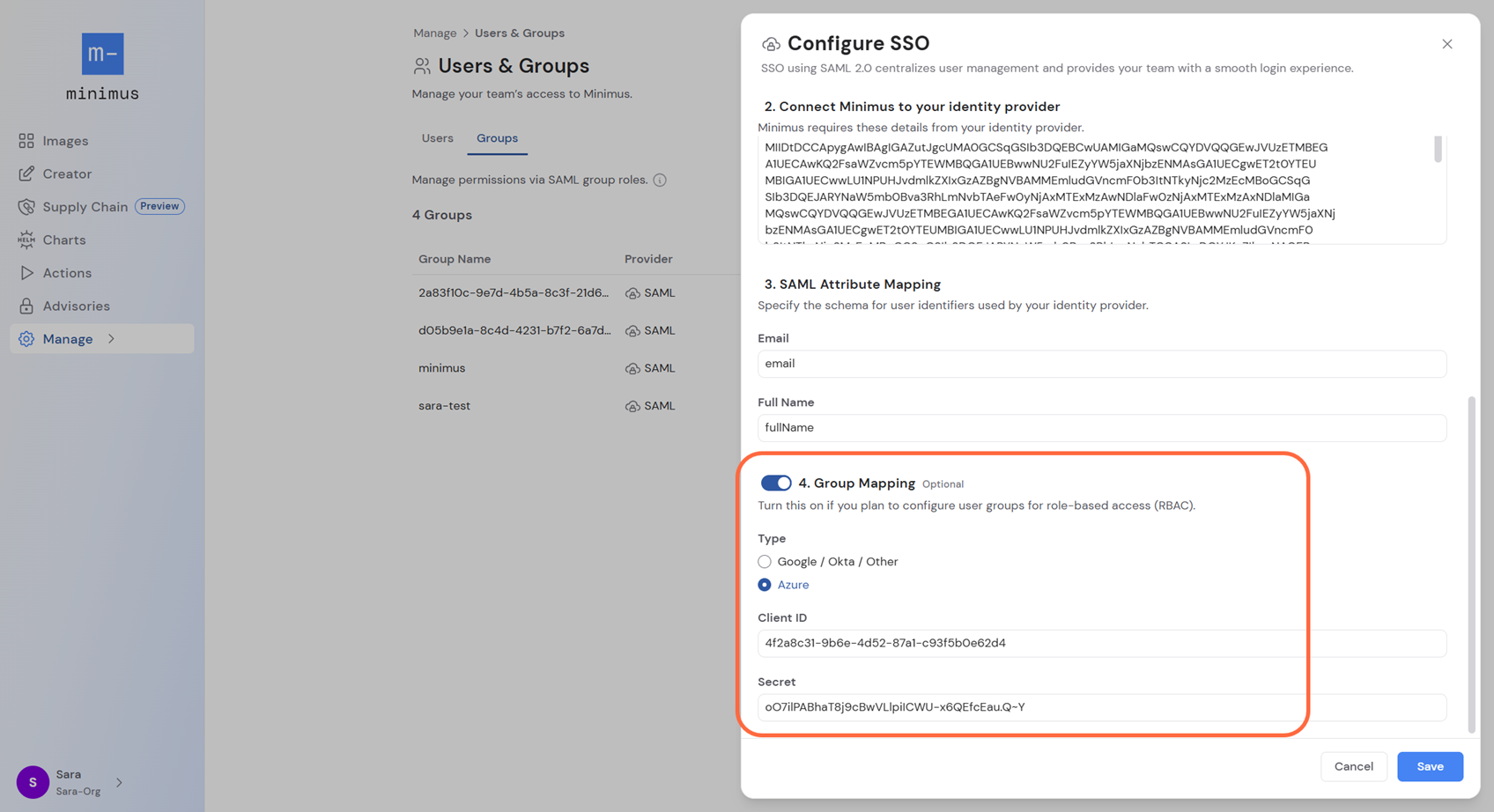
- Enable Step 4: Group Mapping.
- Select: Azure
- Fill out the following Azure parameters:
- Application ID (also shown as Application (client) ID depending on where you look it up in Azure)
- Client Secret
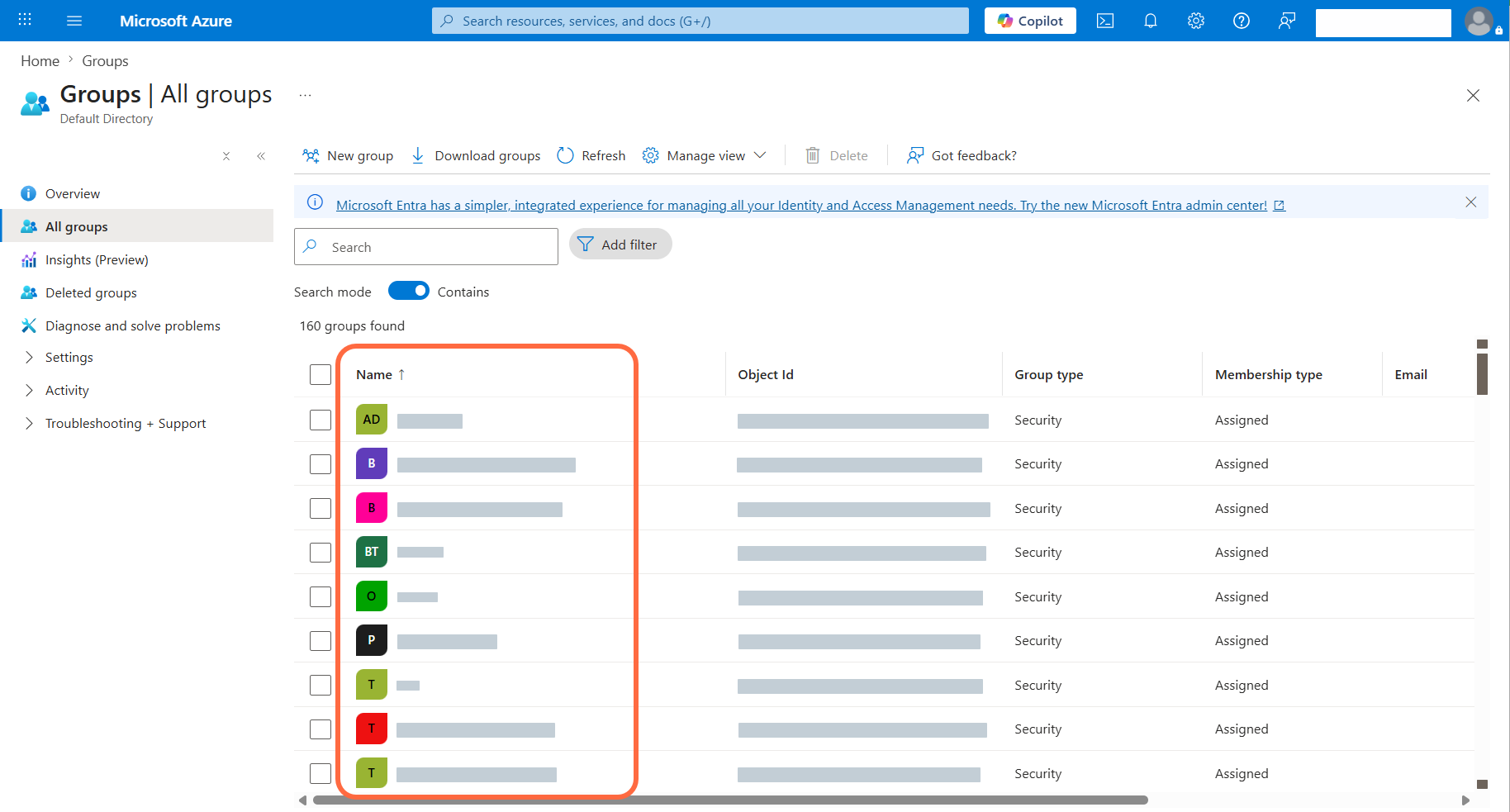
- In Azure, look up your Azure groups. You can search for “groups” in the top searchbar.
- In the Minimus Groups form (direct link), add the groups by group name.
Azure group IDs
- Open the Minimus SAML form (direct link):
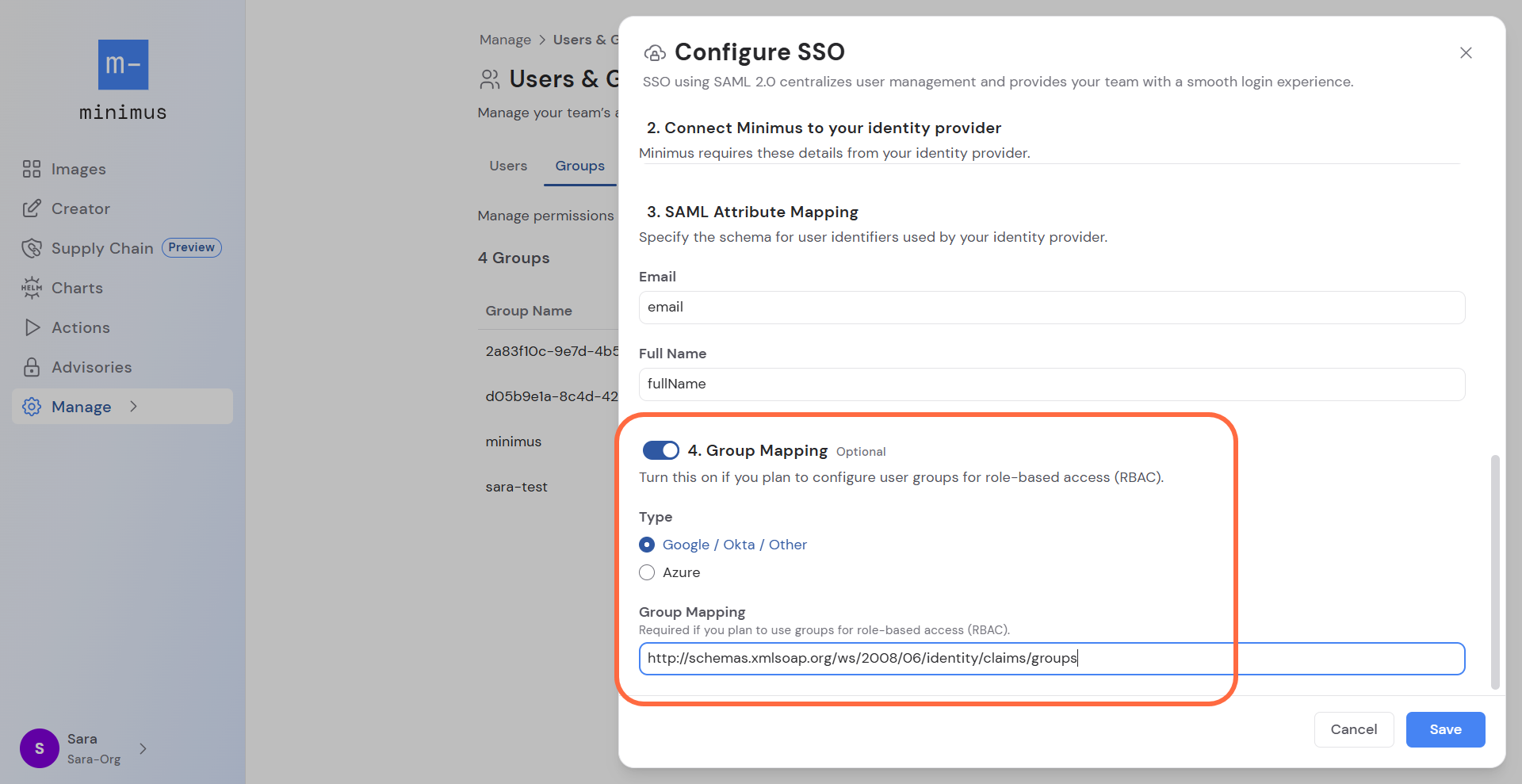
- Enable Step 4: Group Mapping.
- Keep the default selection: Google / Okta / Other
- Enter the Azure group mapping:
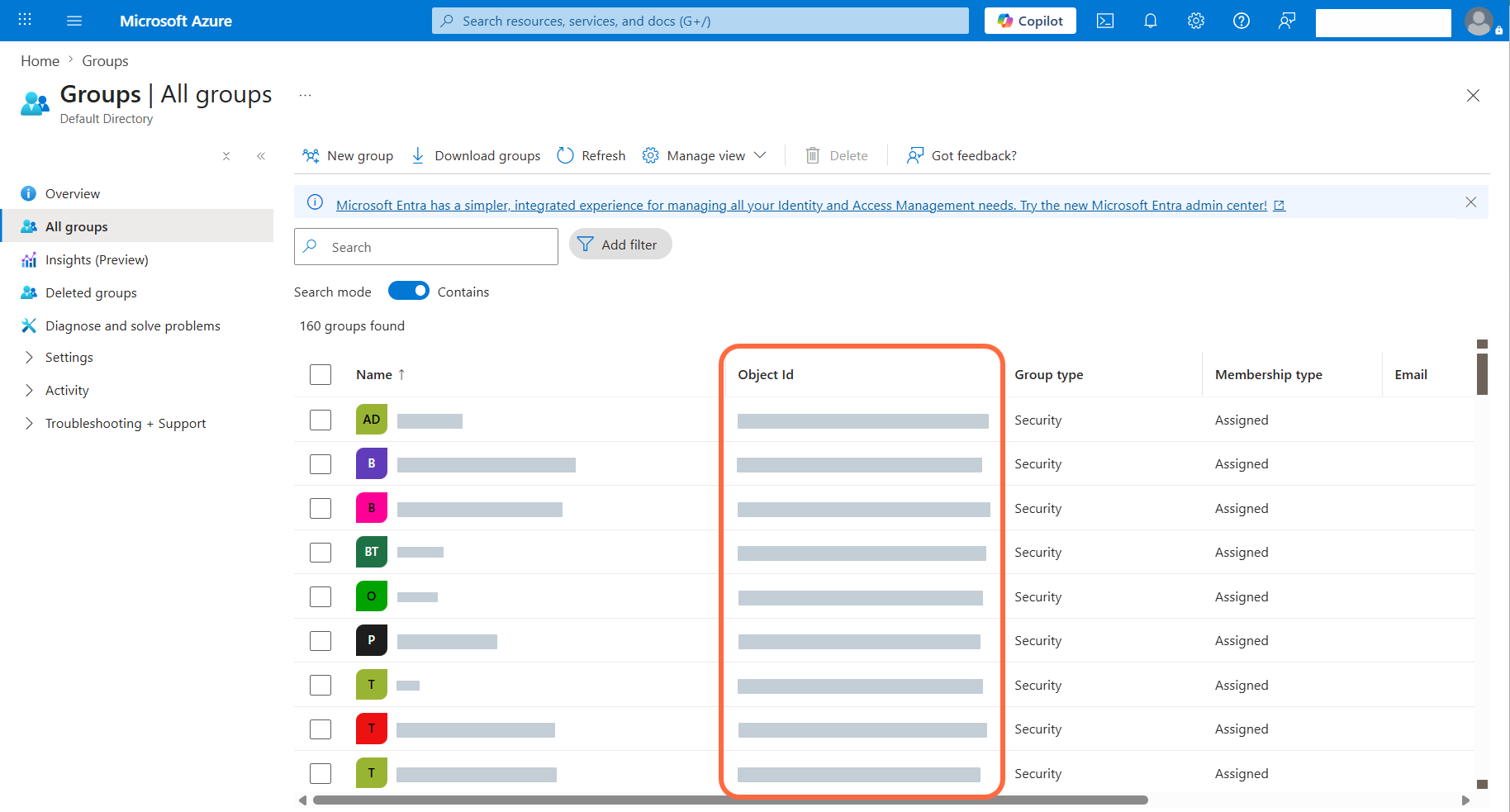
- In Azure, look up your Azure groups. You can search for “groups” in the top searchbar.
- In the Minimus Groups form (direct link), add the groups by Azure group ID.
Last modified on May 11, 2026