If your organization uses the JFrog Artifactory as the source of truth, you can set up a pull-through cache for your Minimus container images. This option allows you to benefit from the Minimus security advantage while keeping your current processes.
Prerequisites
- JFrog Artifactory administrative privileges with an Artifactory instance
- Access to Docker or Podman to execute an image pull. This may be done locally or from a virtual machine that has a routable network path to your Artifactory instance.
Set up a remote repository in Artifactory
In this step, we will set up the Minimus registry as a remote repository in JFrog Artifactory to enable pull through.
- Log into your JFrog Artifactory console.
- Navigate to Administration > Repositories (The URL will look like this
https://***.jfrog.io/ui/admin/repositories ).
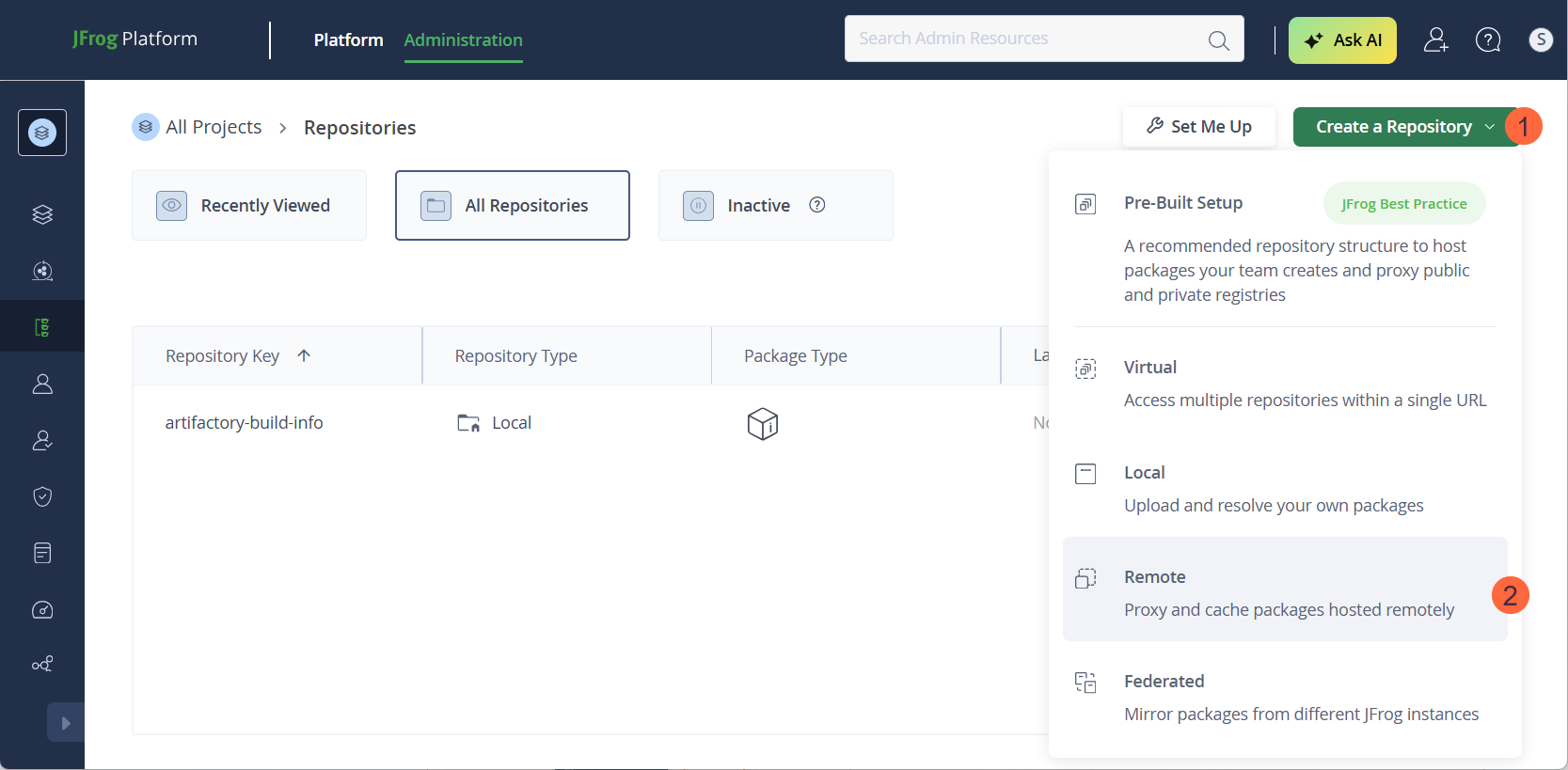
- Select Create a Repository > Remote.
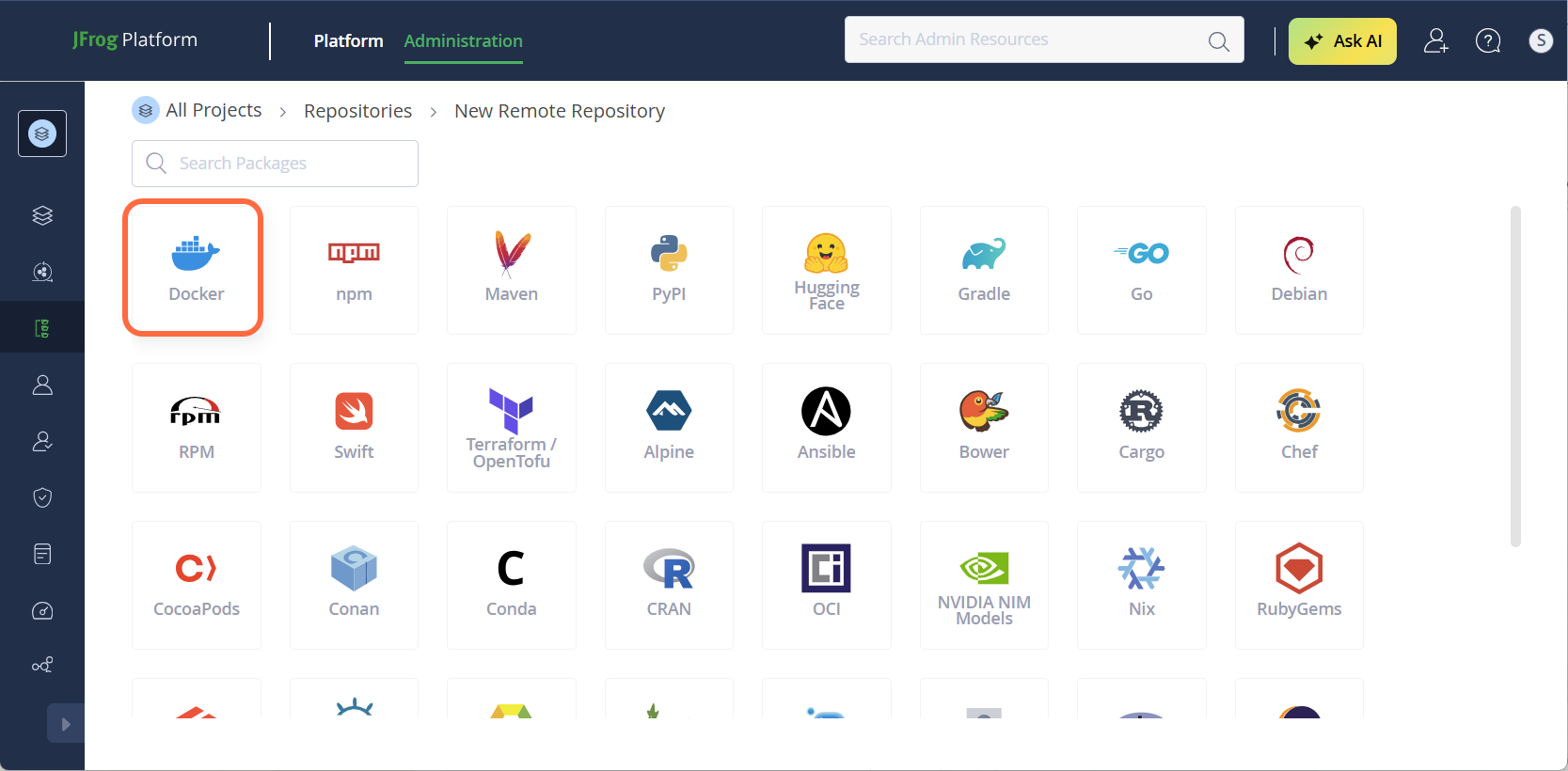
- Select Docker.
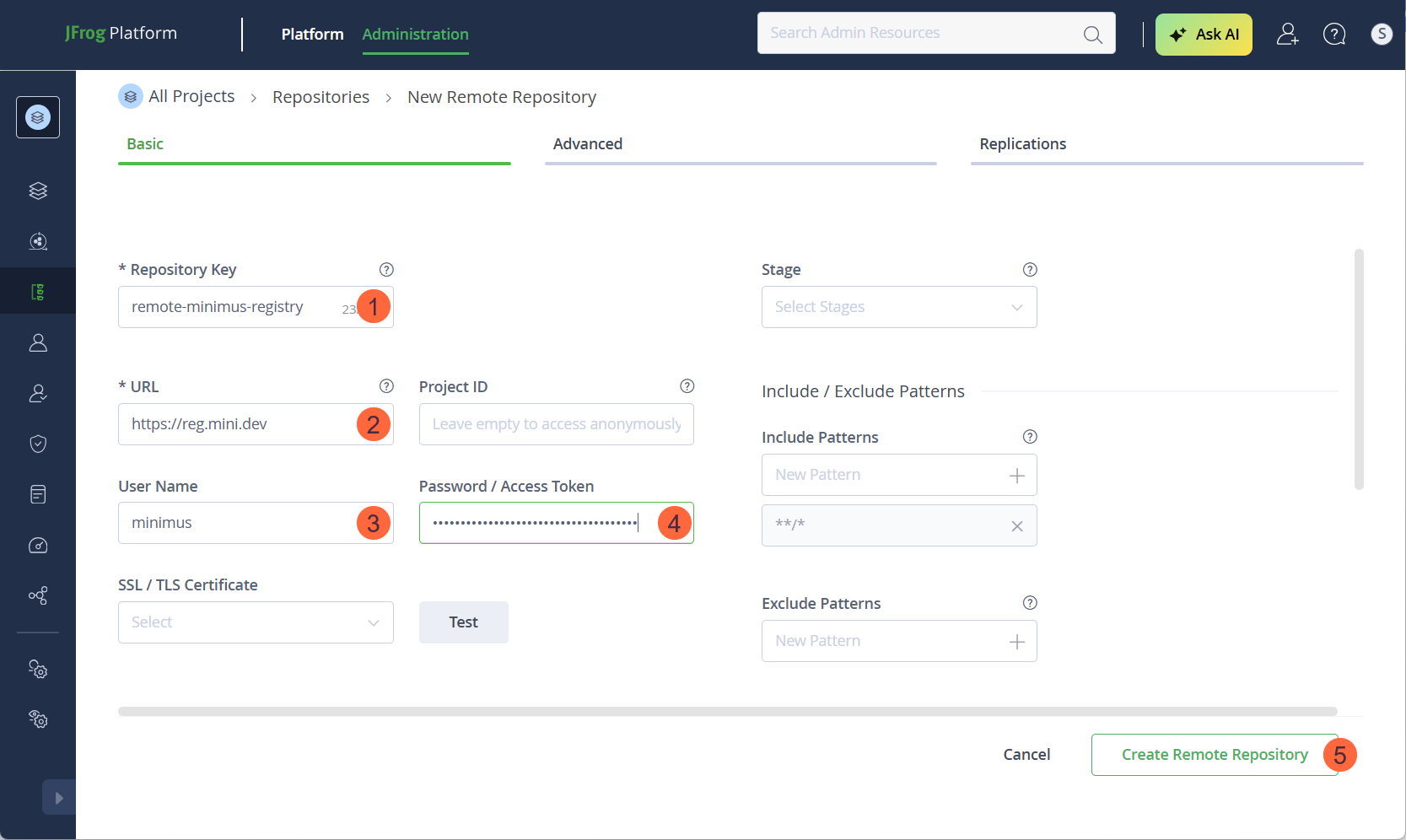
- Fill in the form:
- Repository Key: Name your remote-repository, for example,
remote-minimus-registry.
- URL: Type in
https://reg.mini.dev.
- User Name: Type in
minimus (The username for authenticating to the Minimus registry)
- Password / Access Token: Paste your Minimus token as the value. (You can use this direct link to fetch your Minimus token).
- For all other fields, you can keep the defaults but we recommend that you align with your organizational policies.
- Click Create Remote Repository to complete the form.
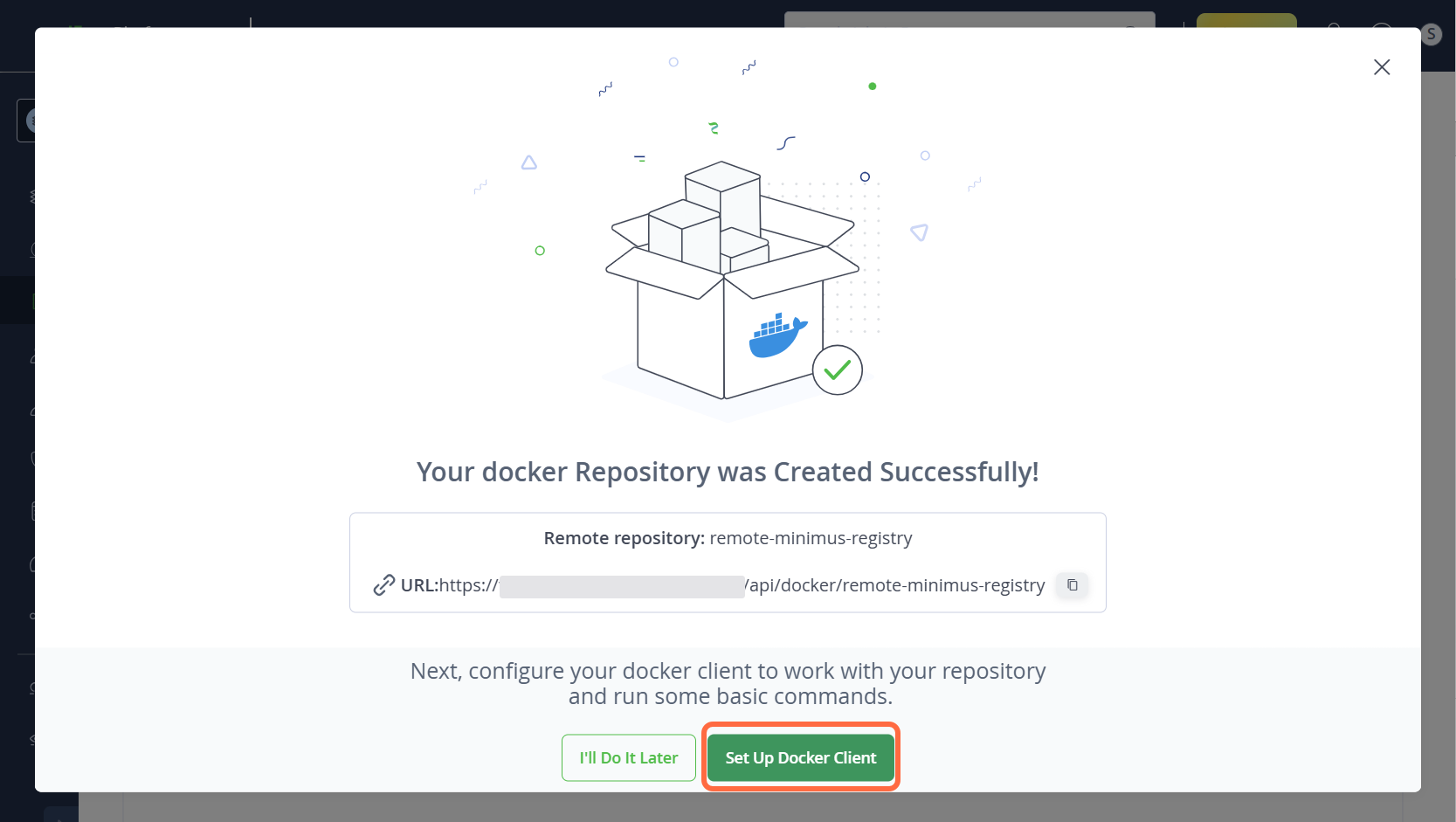
- You should see the following success window. Select the option Set Up Docker Client to continue.
Pulling Minimus images into Artifactory
Now that you’ve set up the Minimus registry as a remote repository in Artifactory, you are ready to pull Minimus images into your JFrog Artifactory instance.
-
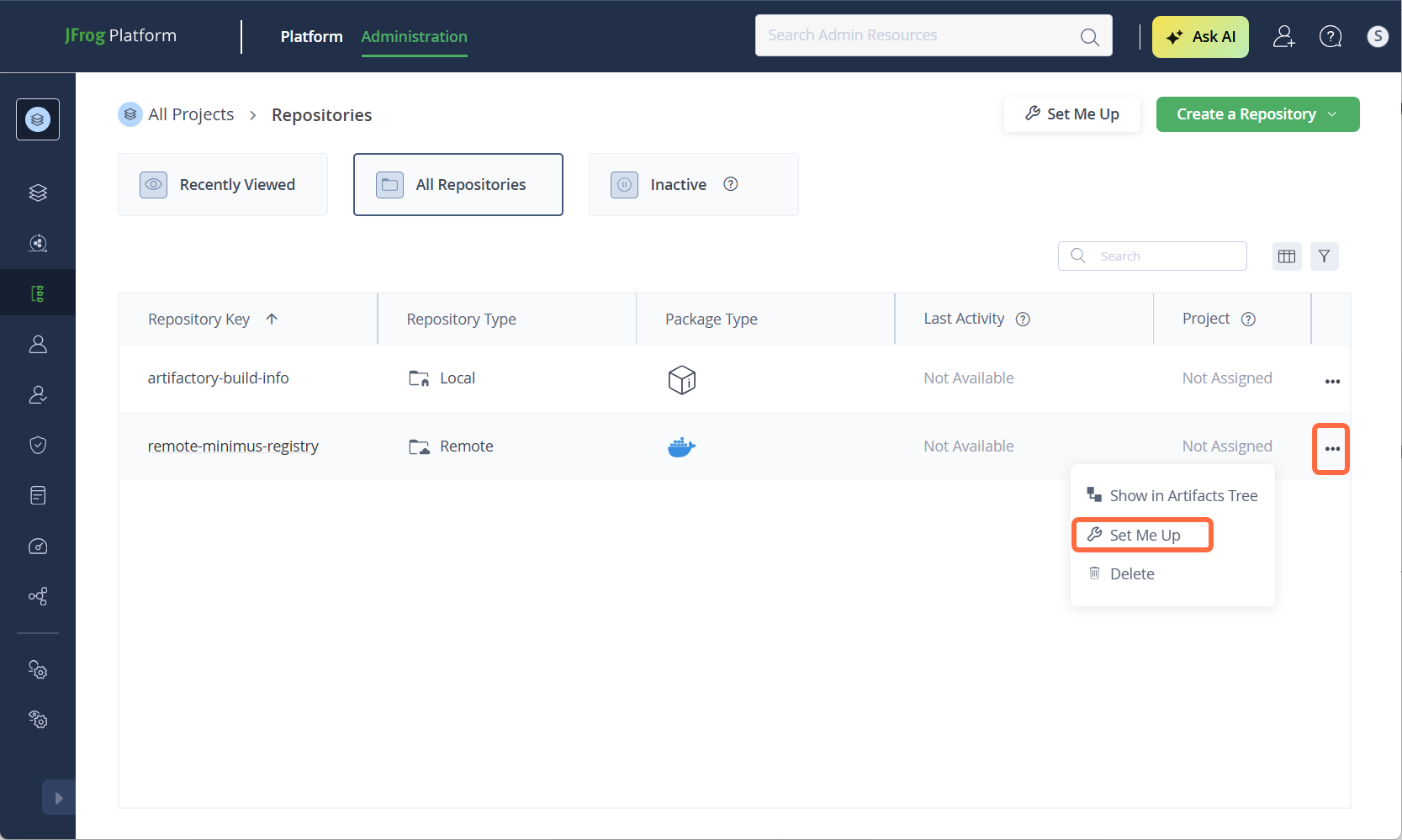
If you didn’t select Set Up Docker Client in the previous step, you can navigate to it directly:
- Select Repositories from the left menu.
- Hover over your repository, click the right menu (3 dots), and select Set Me Up.
-
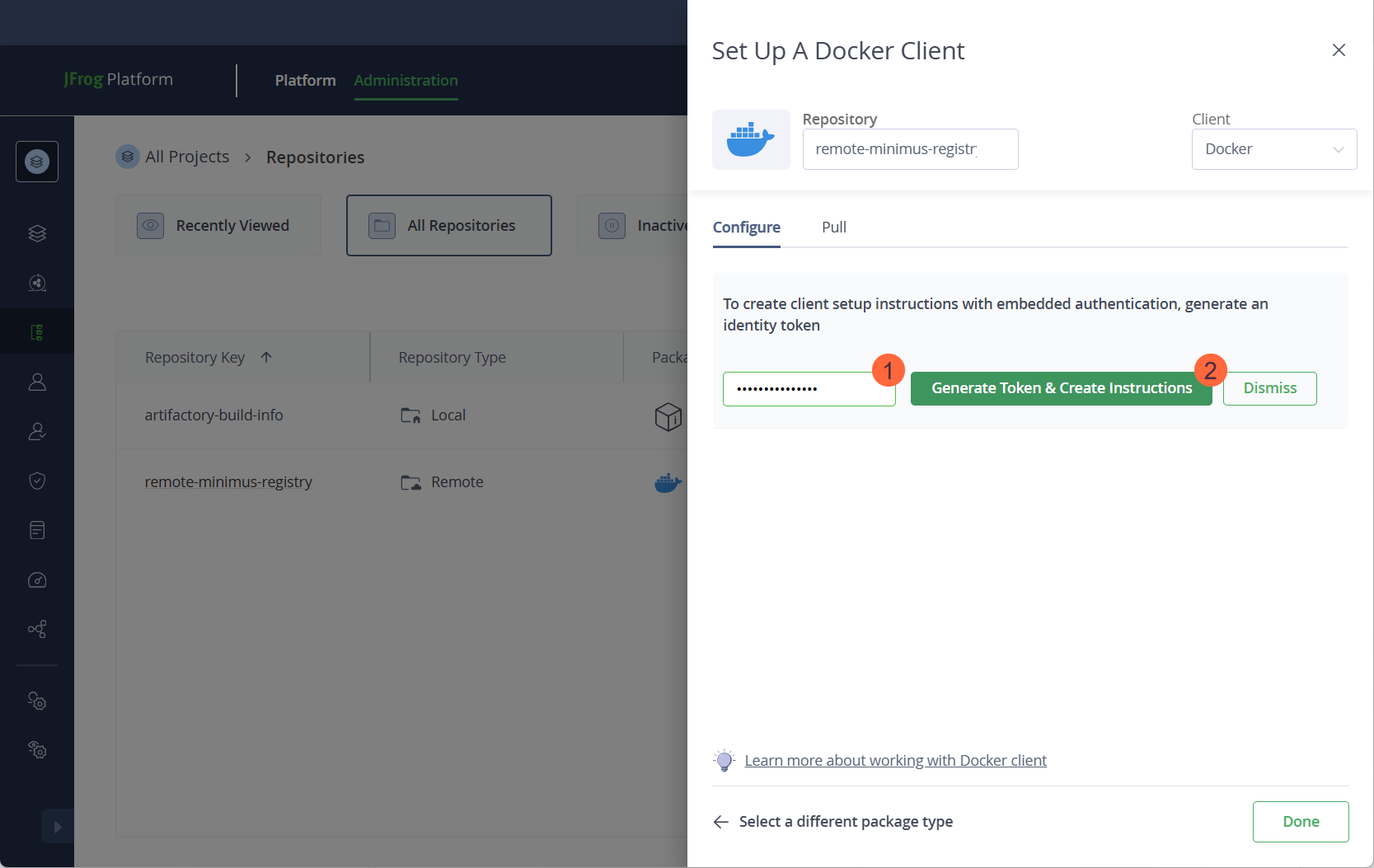
Authenticate to the remote registry.
- Enter your Artifactory tenant password.
- Select Generate Token & Create Instructions.
-
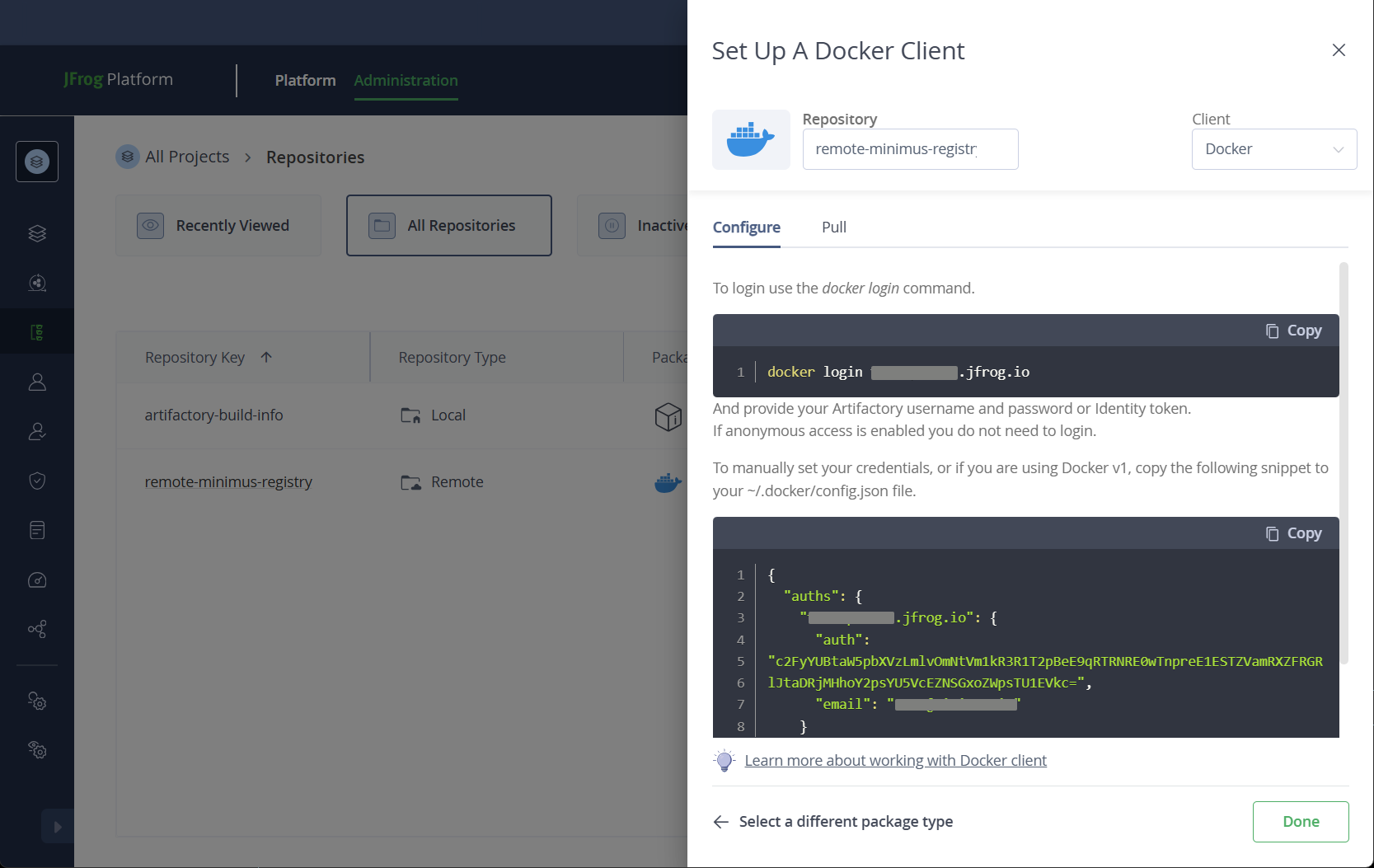
The instructions and commands will be provided in the JFrog UI.
-
In your CLI, log in to your JFrog instance, for example:
-
Execute a Docker or Podman pull command:
-
That’s it! You have validated that you can pull a Minimus image into your JFrog Artifactory repository.
Troubleshooting
Artifactory remote repository sync
When setting up a self-hosted registry with JFrog Artifactory, you may encounter a 401 or 403 error response when testing the connection in the Artifactory UI.
Explanation: This is a known UI issue reported by JFrog and it can be safely ignored. The sync functionality will work correctly, and you will be able to pull images from the Minimus registry into your own registry without any problems. Refer to the original report by JFrog for more details Last modified on April 30, 2026